Site diary and labourNew

The site’s diary in under a minute. Wages that add up.

On a phone at the site: the weather is already there, the labour comes from today’s attendance, say what was done and add photos. Mark attendance a tap a day, and pay the week in one tap.
Sound familiar?

The site engineer tells us on the phone what happened today, and it is gone by tomorrow. At the end of the week the contractor’s labour count and ours never match.

What changes

01

Under a minute

Weather from the site’s location, labour from attendance; the engineer only says what was done.

02

Nothing goes missing

A strip of days per site where a missing working day stands out; the week prints as one PDF.

03

Wages without arithmetic

Days times the rate, plus overtime, less advances. Pay this week puts them in your expenses.

Where it sits in your day

  1. Before the project
  2. Project costs
  3. On site
  4. Billing
  5. Month end

On site, every evening: the report; every Saturday: the week’s wages.
What it does

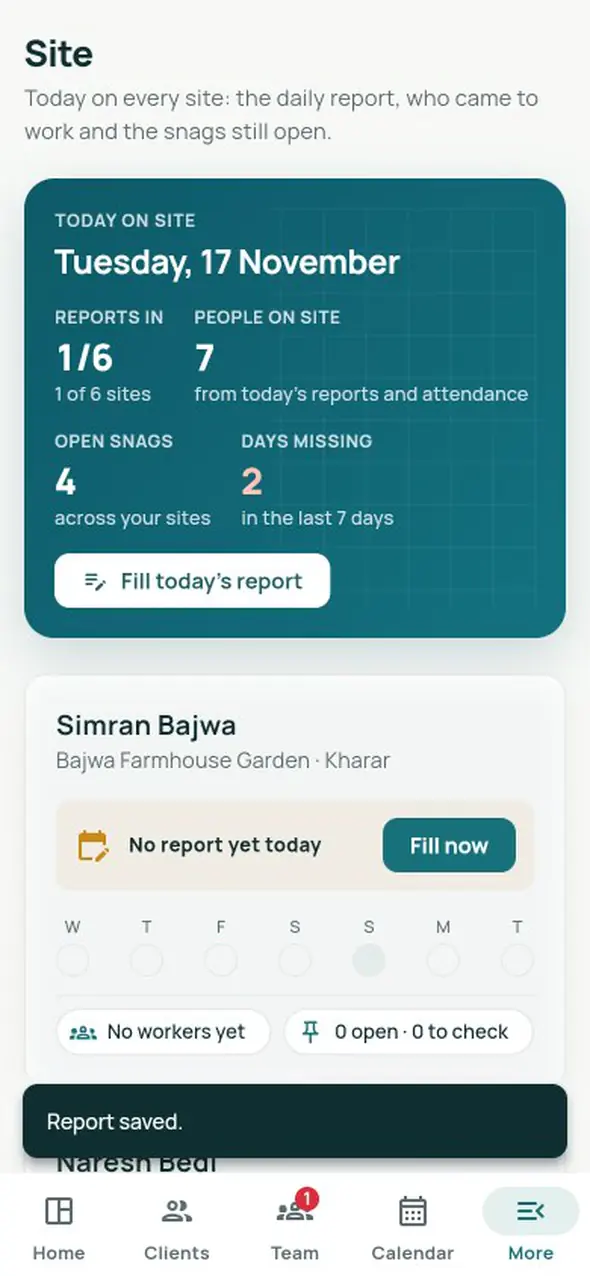
  • The Site page: today on every site, whose report is in, who came to work and the snags still open.
  • The report: weather (filled), labour by trade (from attendance), tasks ticked, work done typed or said, materials, photos by stage, issues.
  • The client reads the reports in their portal and link if you switch it on; issues stay with your studio.
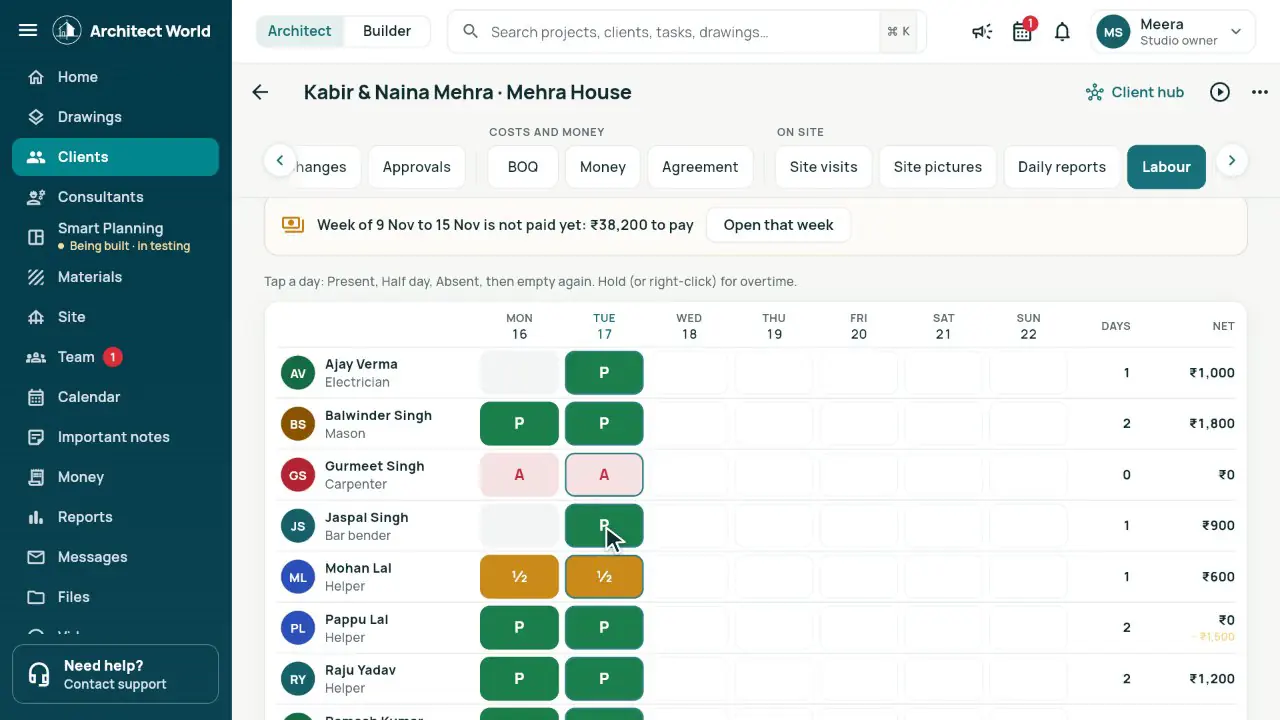
  • Workers once with their trade and daily rate; Present, Half day or Absent a tap a day; overtime and advances.
  • Pay this week: wages into your expenses as Labour (on the Builder side, from the fund pool), counted in Budget vs actual. Excel every week.

In the app

The week’s attendance and wages on Mehra House.
A tap a day: Present, Half day or Absent.
Pay this week: the wages go into your expenses.
The report on a phone: weather and labour already there.
Saved: today’s report on Mehra House.

Real screens from our demo studio, Atelier Neev (fictional data).

Questions

Does it work without typing?

Yes. The weather and labour are filled; tap the mic and say what was done.

Can the client see the reports?

Only if you switch it on for the project. Issues always stay with your studio.

Where do the wages go?

Into your expenses as Labour when you pay the week, and into the project’s Budget vs actual as soon as they are earned.

Coming soon

Sign-up is coming soon

We’re launching very soon. Leave your name and an email or a mobile number, and we’ll tell you the day it opens.

See everything we’ve shipped

An email or a mobile number is enough.

We use these details only to tell you when sign-up opens.