What it does
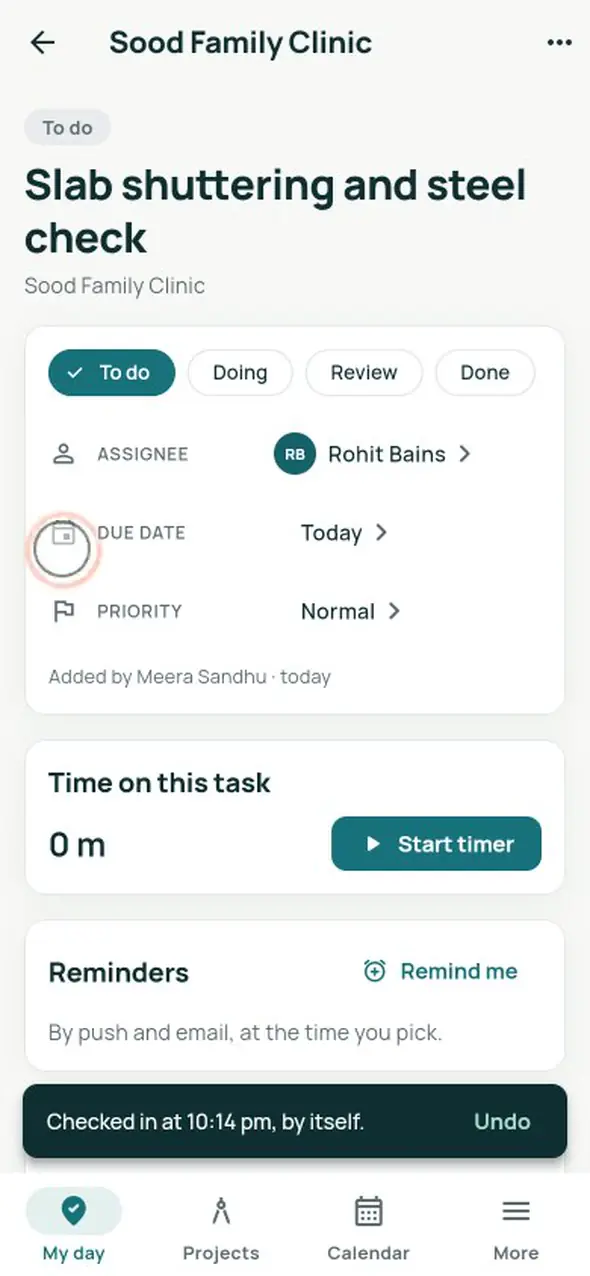
- My day: today’s site on a map, the distance, the walking time and a Check in that turns green inside the circle.
- Checks in by itself as you arrive and out as you leave, while the app is open; Undo is one tap. Never in the background.
- Check in anyway with a note: the owner sees how far away it was.
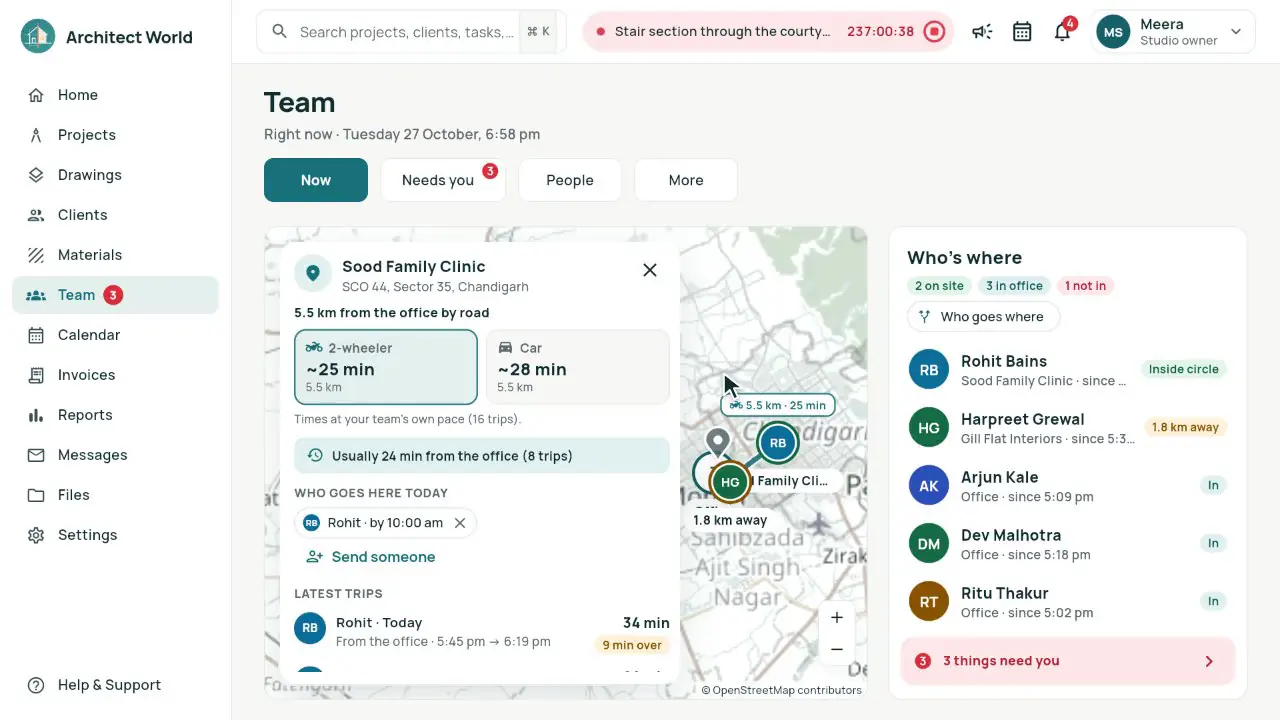
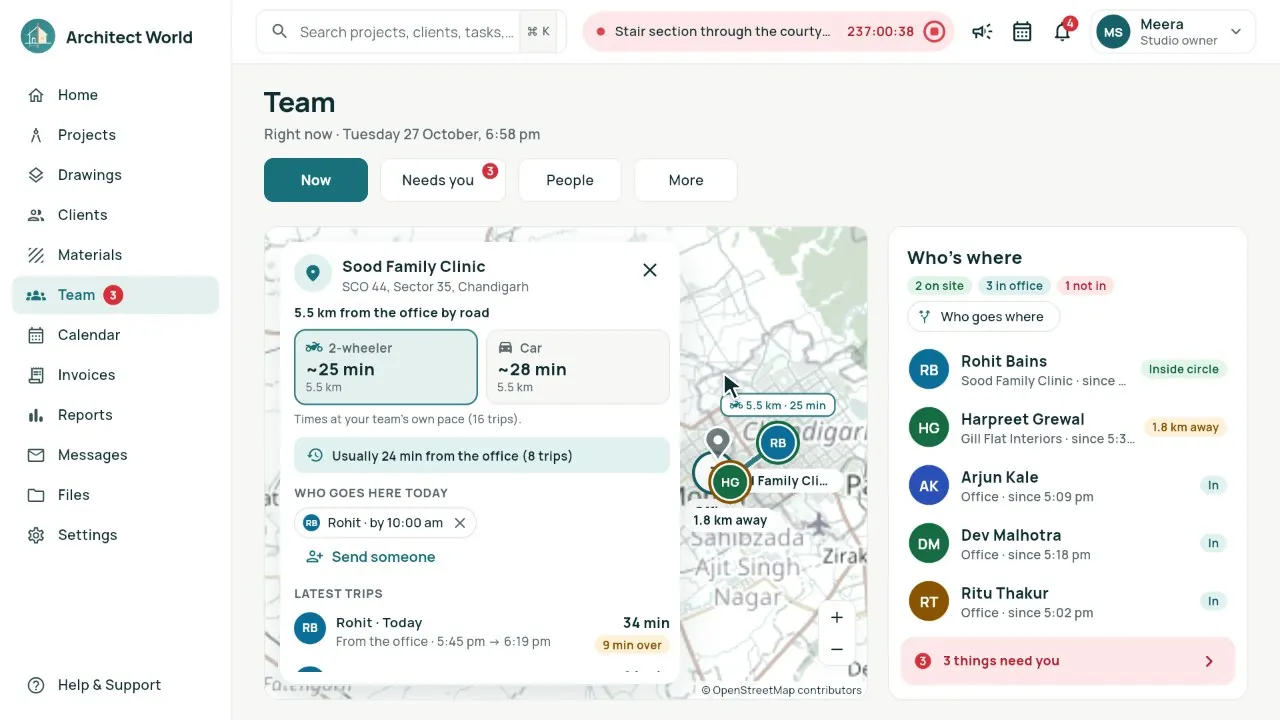
- Now: the team on a map, green on site, amber away, teal in the office, and who hasn’t come in.
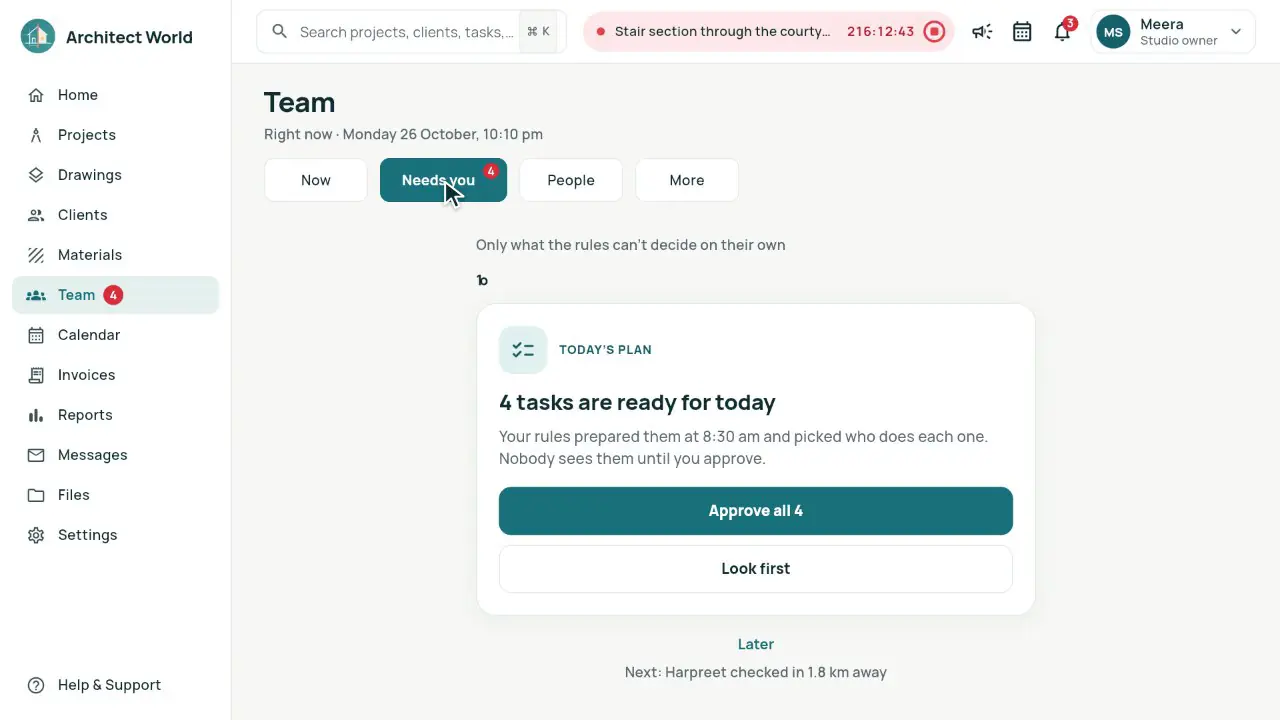
- Needs you: today’s plan, an away check-in, a new date asked, leave: one card at a time, with two clear answers.
- Each morning the rules prepare the day’s tasks and pick who does each one; nothing reaches the team before you approve.
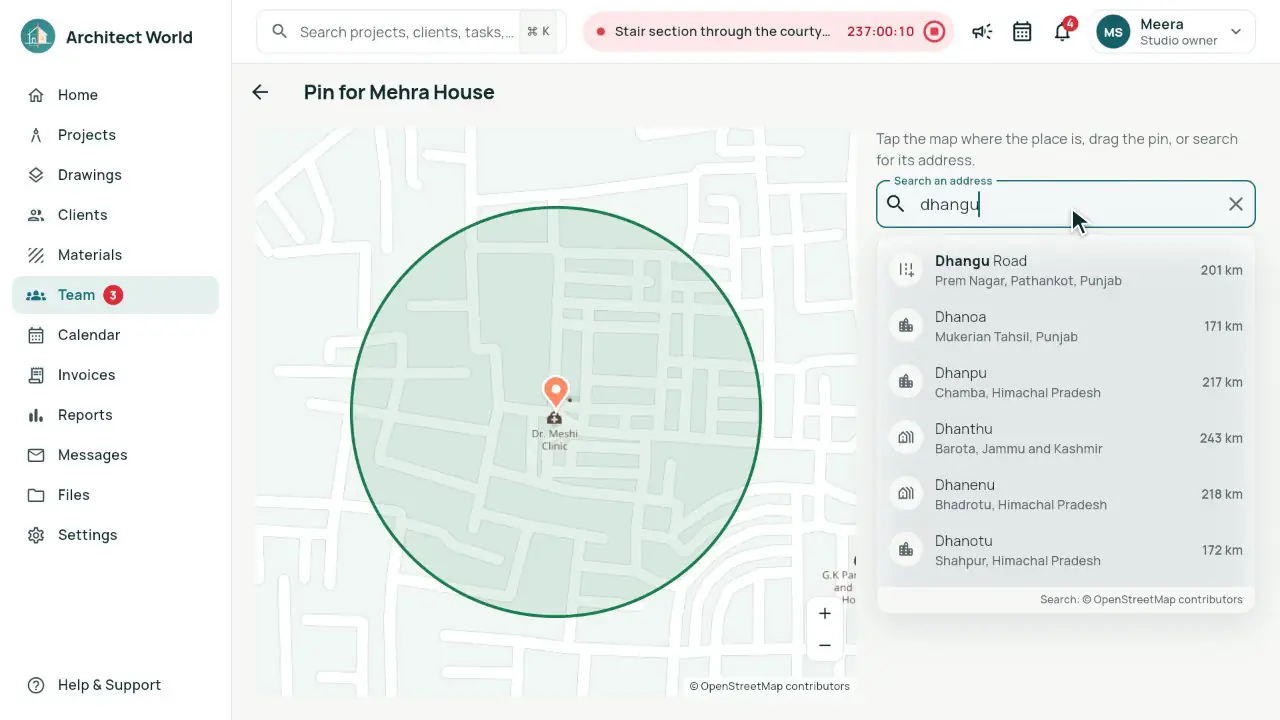
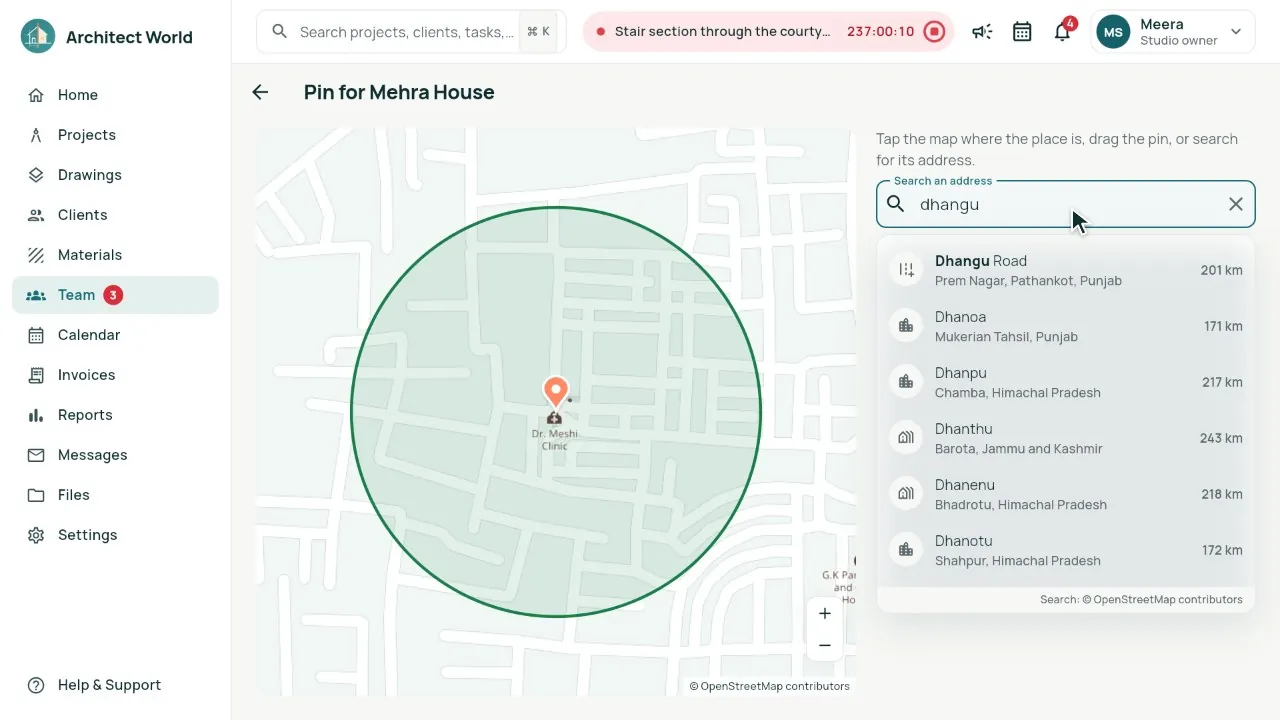
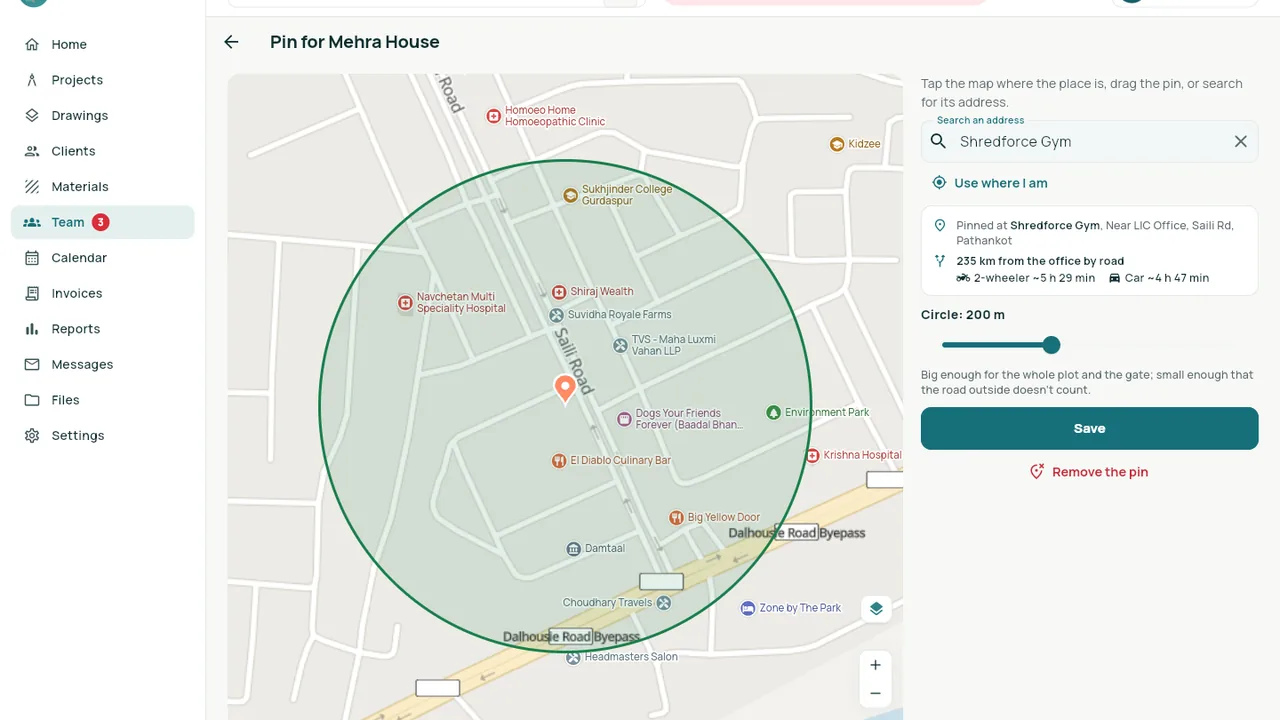
- Pin a site by typing: places appear as you type, near you first; a pasted Google Maps or WhatsApp link, coordinates or a plus code work too. Or use where you stand, or drag the pin.
- Every site on the owner’s map shows how far it is from the office by road and how long a 2-wheeler and a car take, tuned to your team’s real trips.
- Trips are timed by themselves, from a check-out to the check-in at the site: on time, minutes over, or stops on the way.
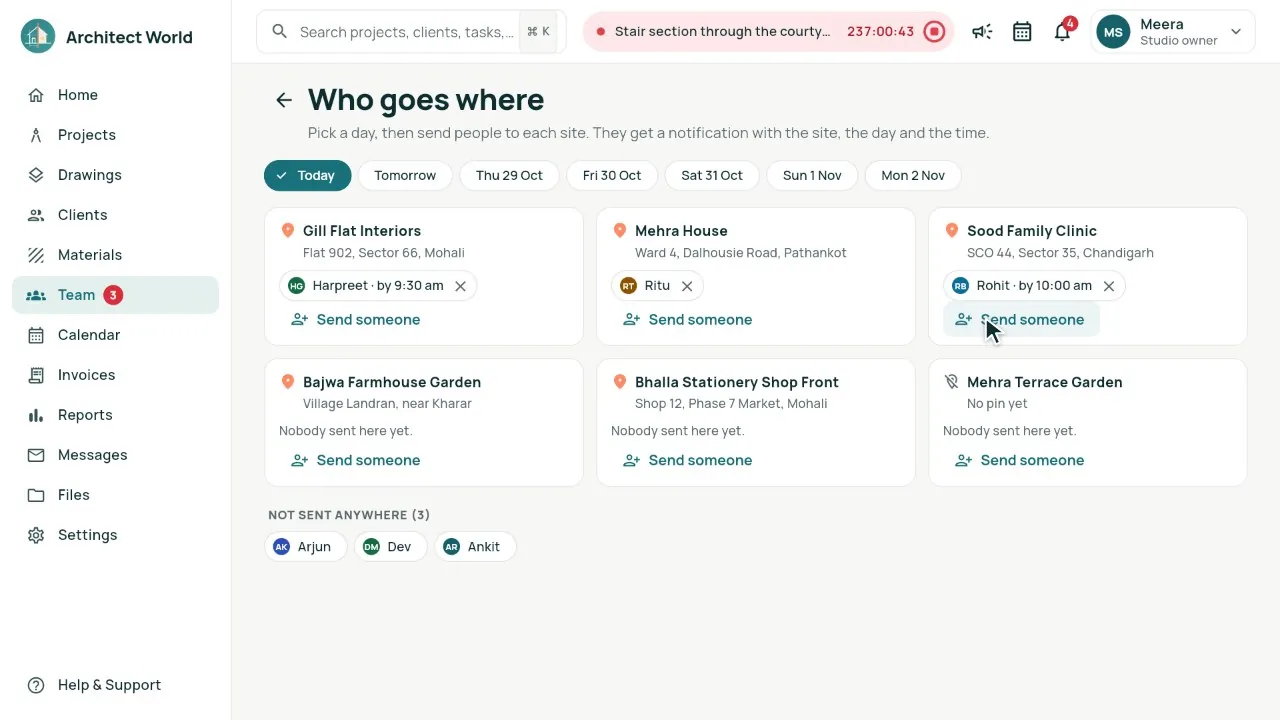
- Who goes where: send people to sites day by day, with a time to reach by and a note; they get a notification.
- India’s places on every team map as you zoom in: hospitals, schools, banks, petrol pumps and temples first, then shops, offices, gyms, societies and building-material shops. About 4.5 million, from Pathankot to Mumbai; tap one for its address, or Pin here.
- Search finds a shop, a gym or a housing society by its own name anywhere in India, and “gym pathankot” lists that kind of place round the town.
- My day leads with the site the owner sent you to: by when, the owner’s note, and the road time from where you stand on your 2-wheeler or car.
- Sites lead with the client and their city, as on the project cards; the owner adds any number of sites, for a project (a second plot) or outside one, each with check-in, travel times and Who goes where.
In the app
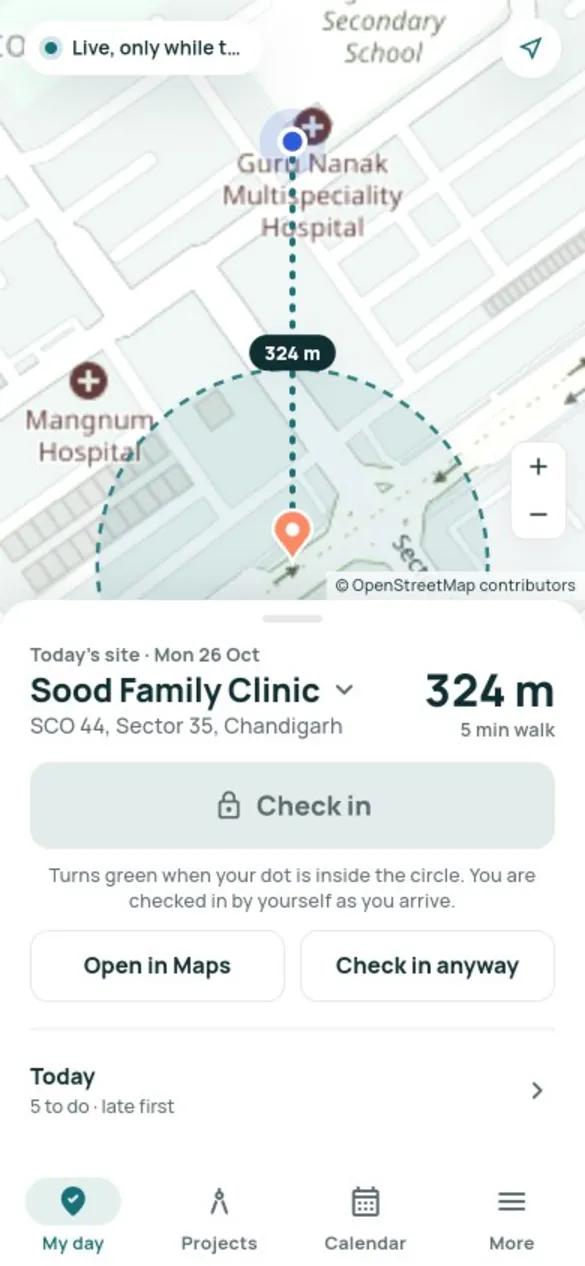
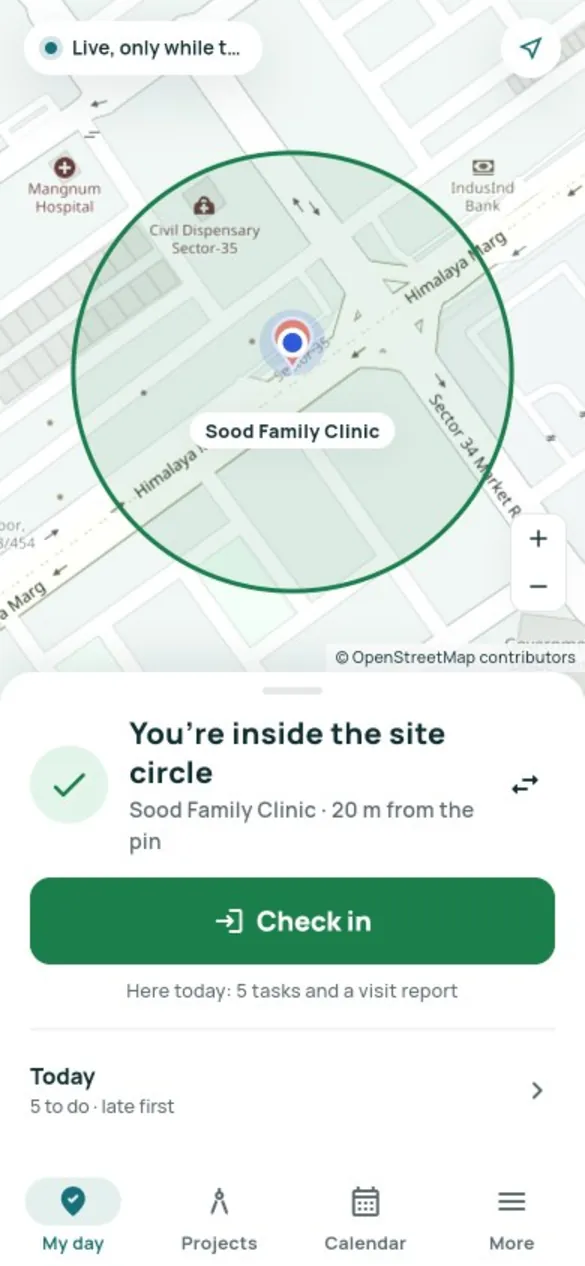
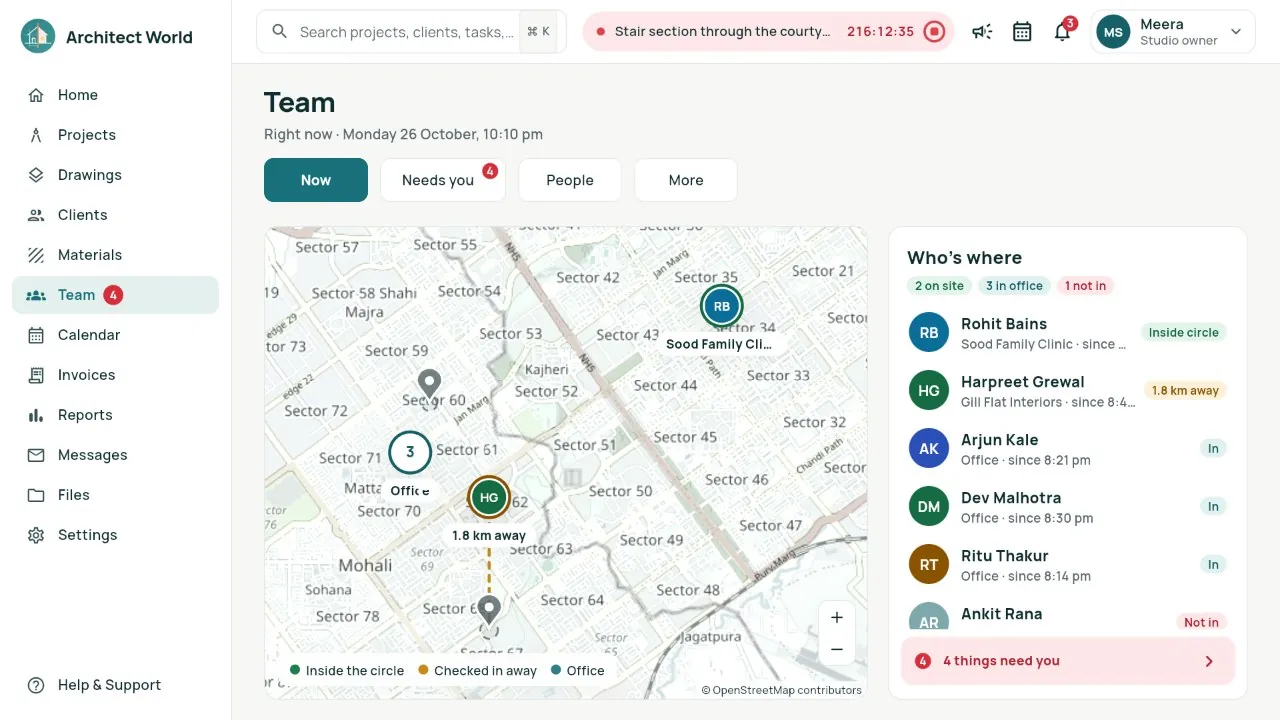
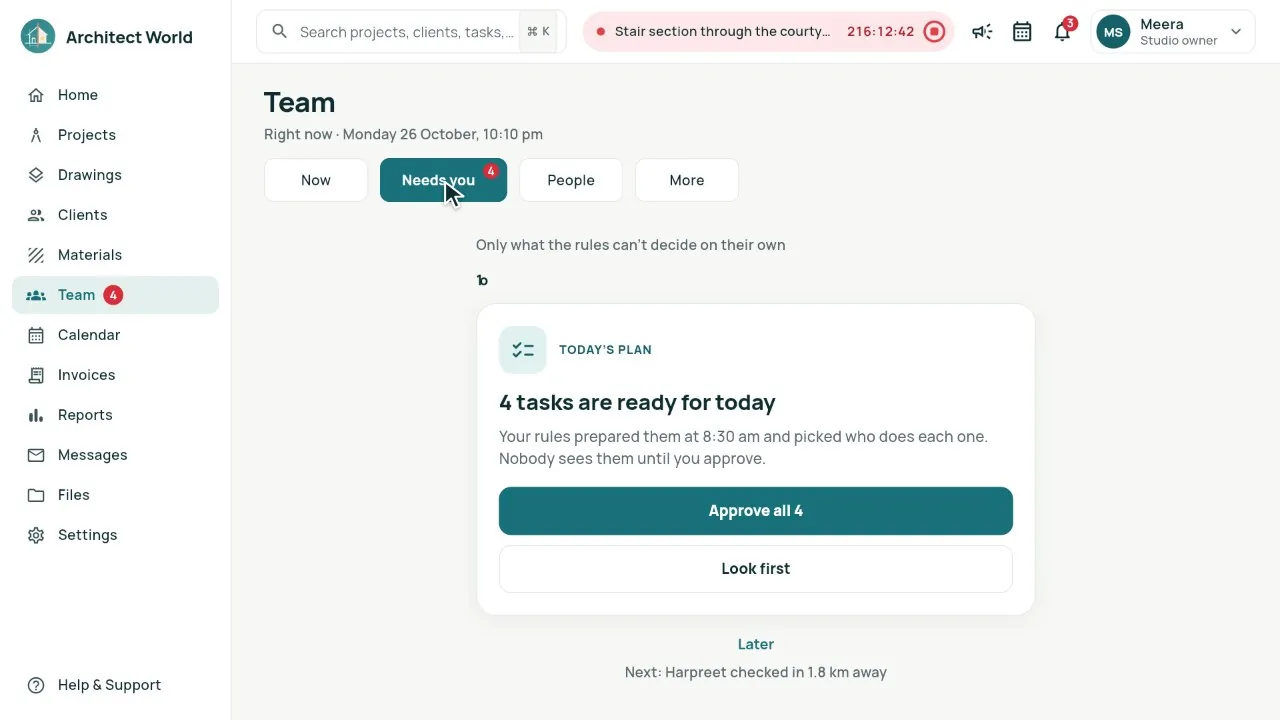
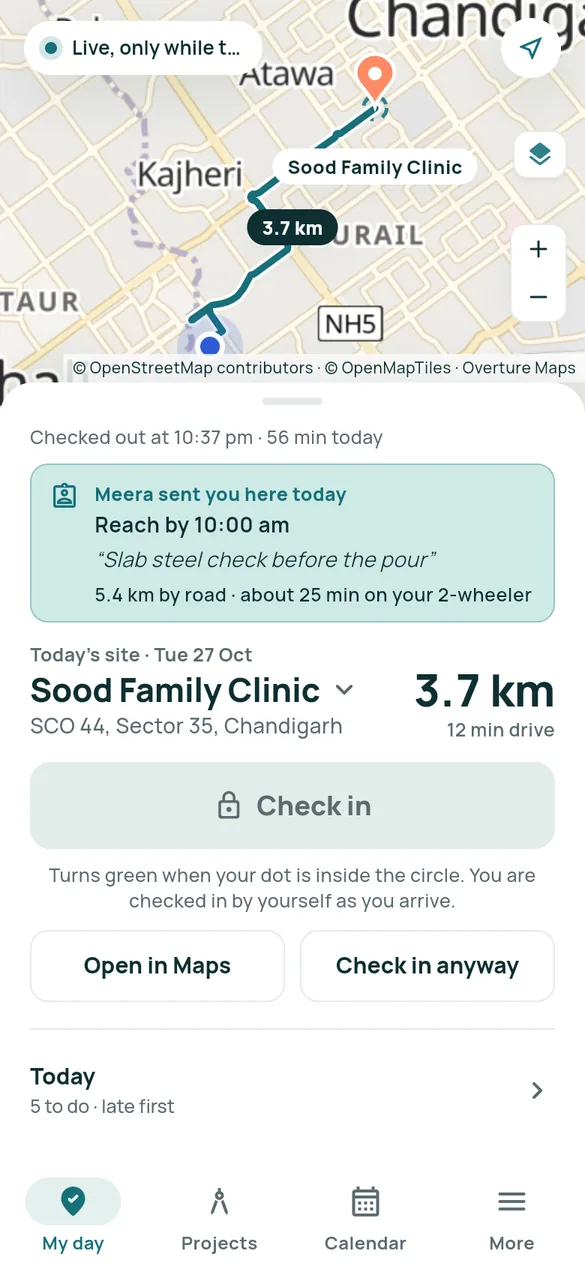
Real screens from our demo studio, Atelier Neev (fictional data).
Questions
Is my team tracked all day?
No. The location is read only while My day is open on the screen, and stored only with a check-in or check-out. Nothing runs in the background.
What if someone checks in from somewhere else?
They can, with a note. It counts, and the owner sees how far away it was in Needs you.
Does it work on a computer?
Yes. Office staff check in from the browser, which asks for the location once; the owner sees the same map on a computer, a tablet or a phone.
Where do the travel times come from?
From the road route on OpenStreetMap, worked out on our own servers. Maps have no live traffic, so after a few trips the times follow how long your team really takes.
Where do the places on the map come from?
From two free, open sources: Overture Maps (businesses, with their street addresses) and OpenStreetMap (landmarks, stations, colonies and societies), about 4.5 million places across India, kept on our own servers and refreshed every month. A shop that opened last month may be missing: paste its Google Maps link into the search and the pin goes exactly there.
Coming soon
Sign-up is coming soon
We’re launching very soon. Leave your name and an email or a mobile number, and we’ll tell you the day it opens.
More features
- Smart Planning
- One link per client
- Drawing register
- Consultants and vendors
- Mood board, 3D and Videos
- Material board
- Site pictures by stage
- Builder side
- Drawings: the index, and 3D from a PDF
- Smart Room Preview
- People and air
- Smarter whole plans
- 3D View and Walkthrough
- Realistic walkthrough
- Three layouts
- Facade designer
- Video export
- Ceiling designer
- Floors and Walls
- Materials from local shops
- AI Planning add-on
- Floors and the complete gym
- Location and sun
- Sharing with your site team
- Projects, drawings and invoices