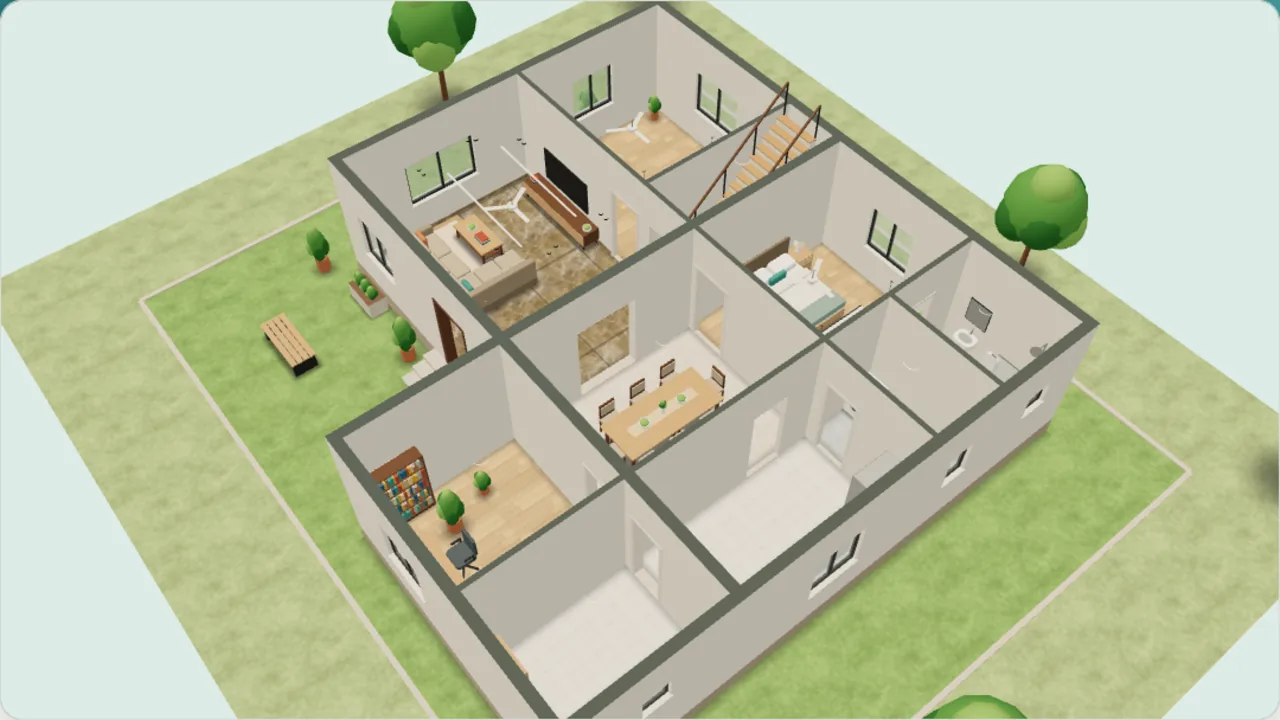
Drag to turn the house
What it does
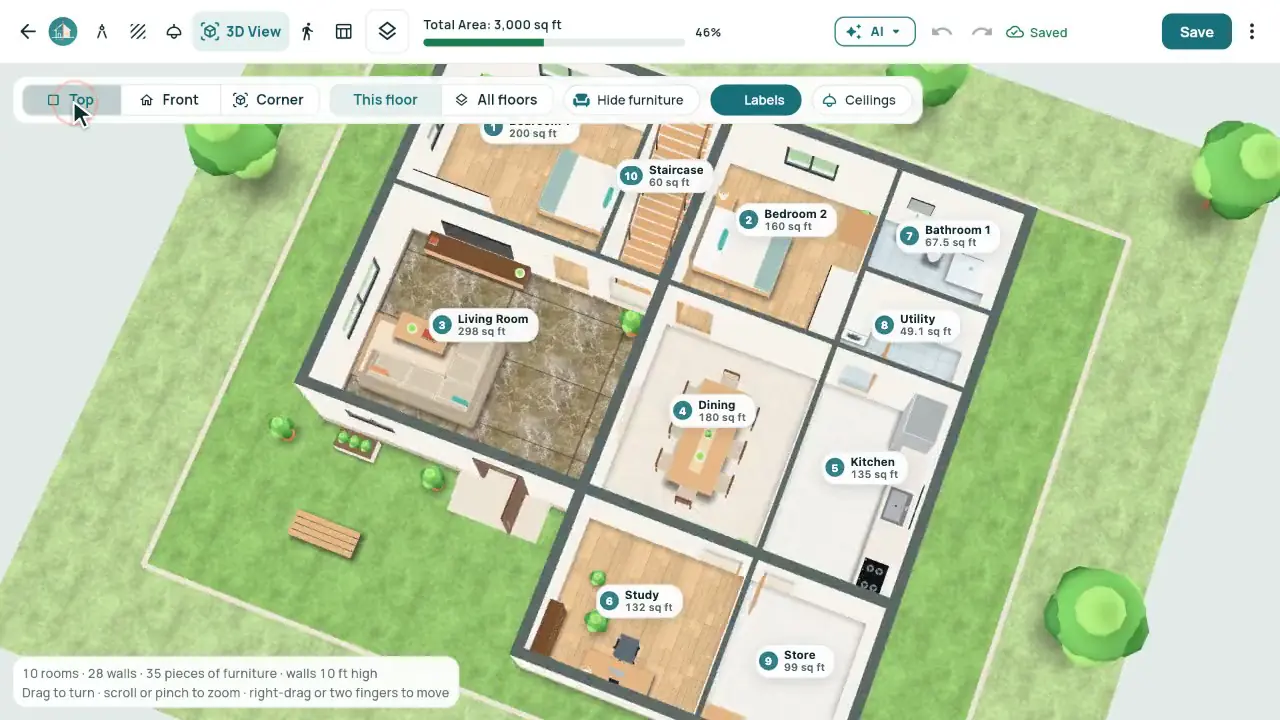
- Top, Front and Corner views, room labels and Hide furniture.
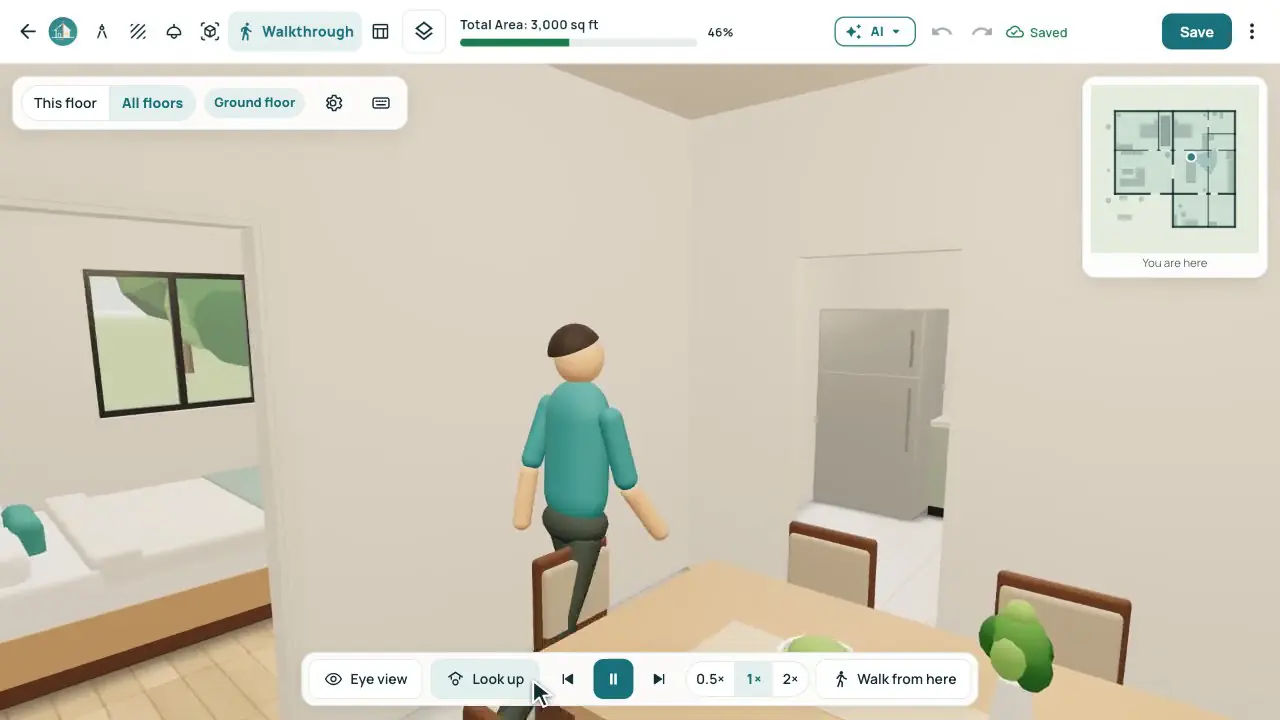
- The Walkthrough: Play tour, Eye view, Look up, and the arrow keys to walk yourself.
- Floors, marble, ceilings and lights exactly as they are in the plan.
- Every floor of the building, or one floor at a time.
In the app
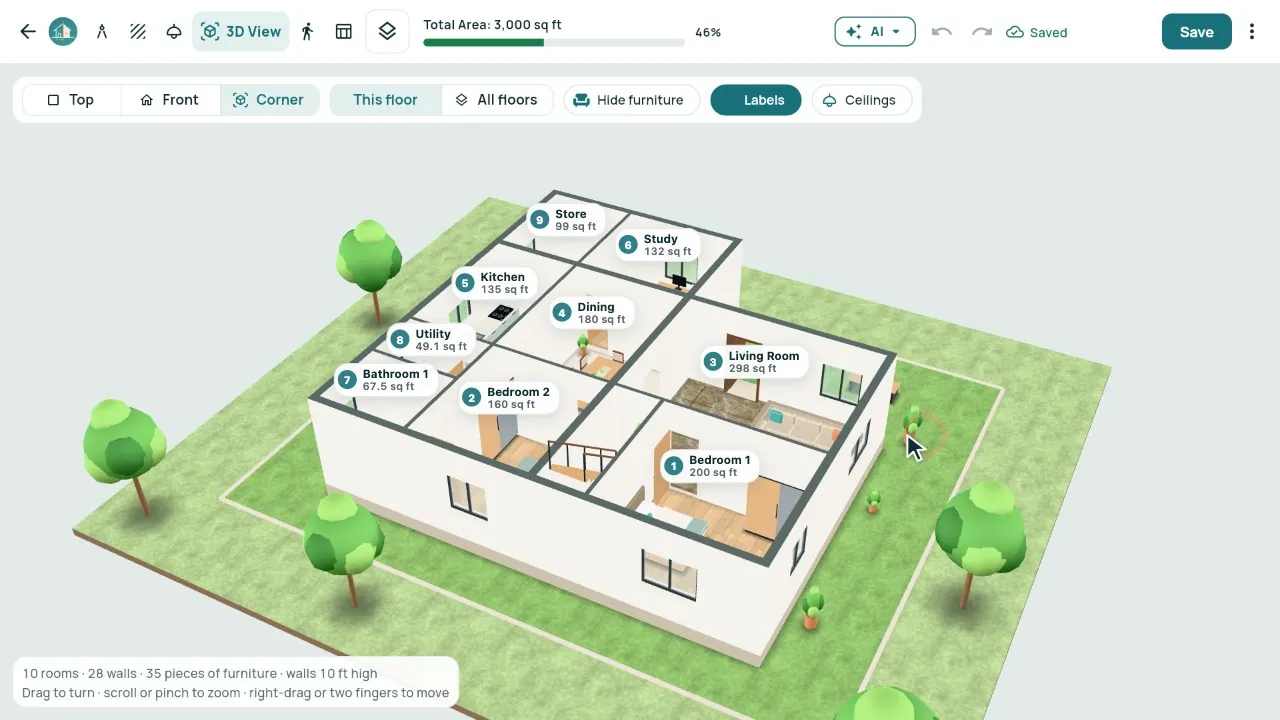
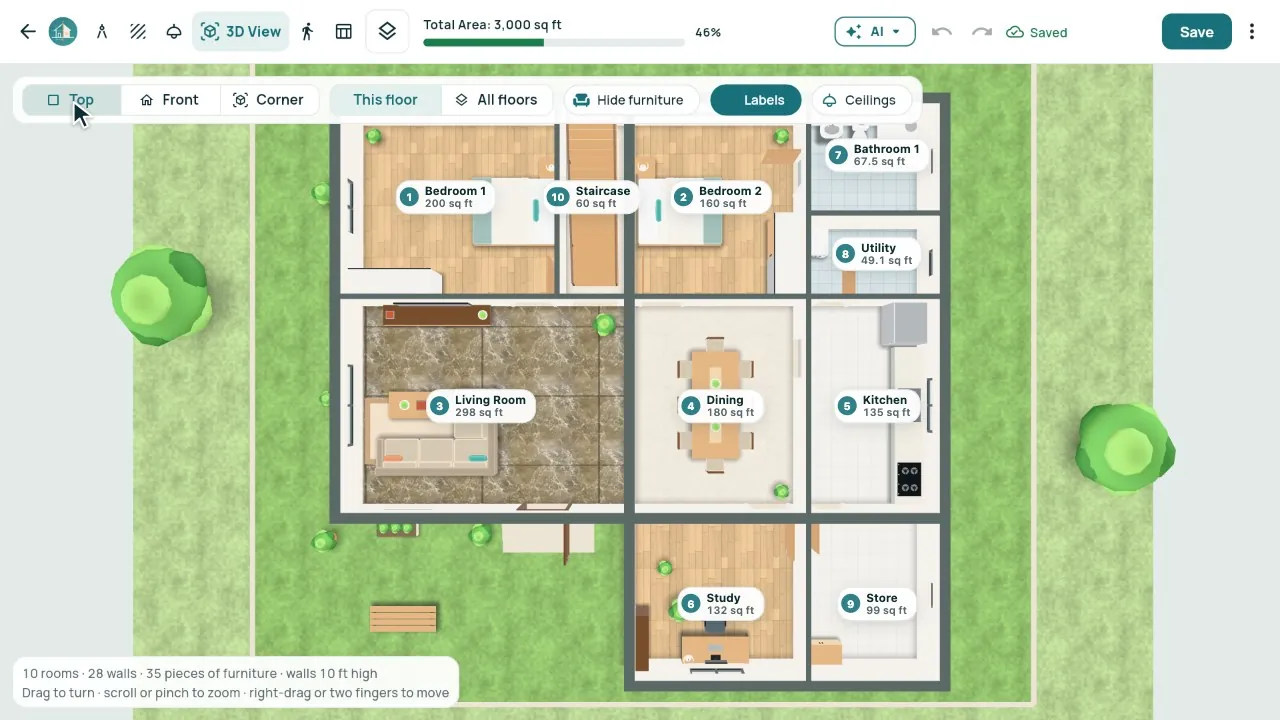
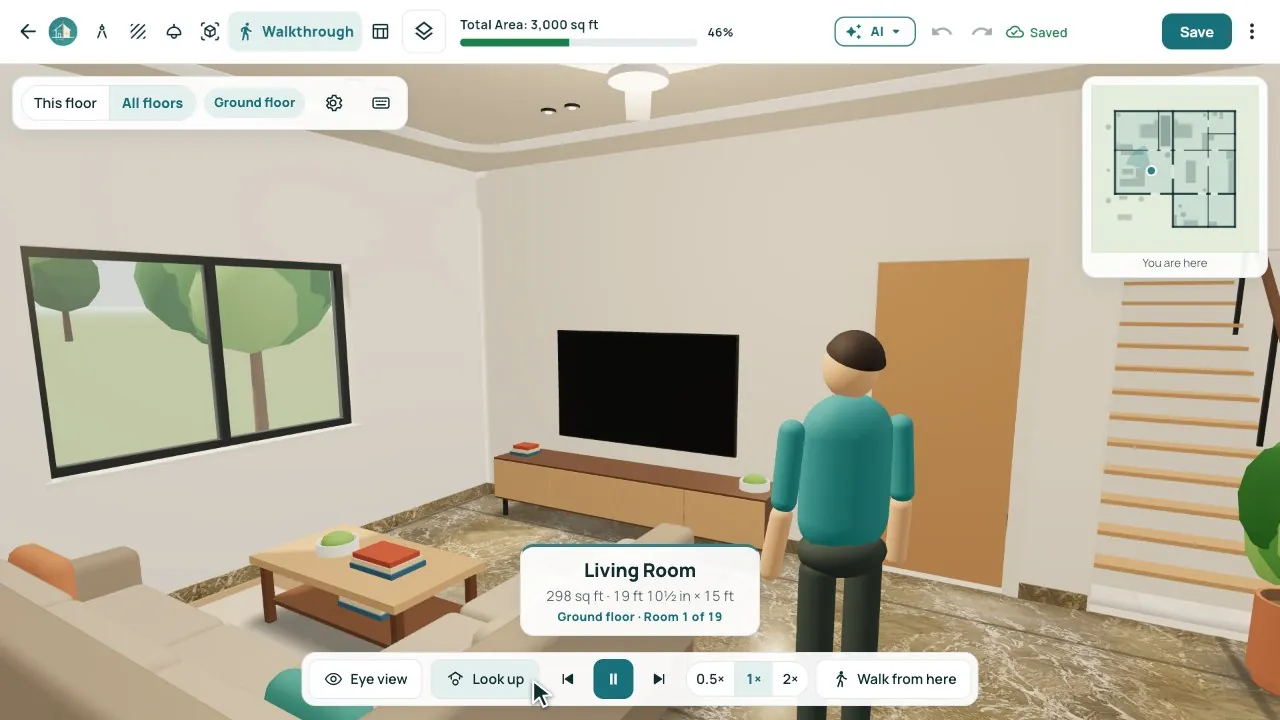
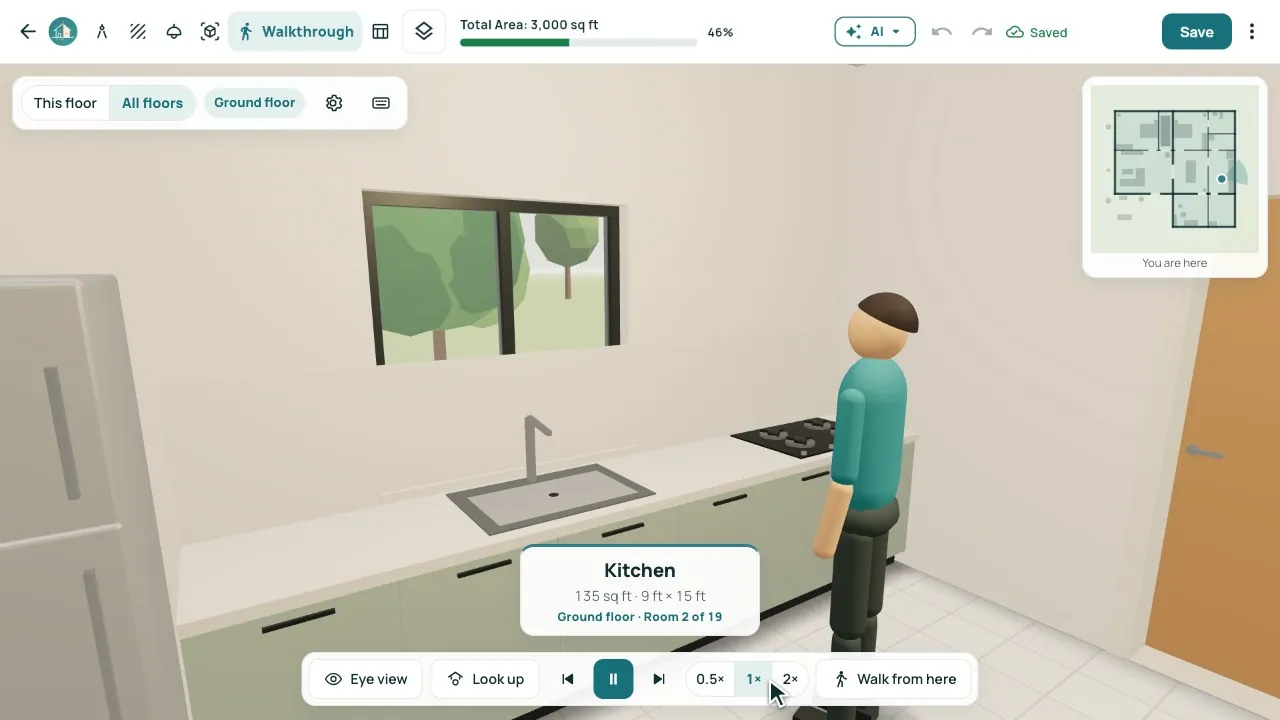
Real screens from our demo studio, Atelier Neev (fictional data).
Questions
Is the 3D drawn separately?
No. It is built from the plan itself, so every change you make shows in 3D at once.
Does my client need an app?
No. Show it on your computer or tablet, or send the share link: your client turns the model round on a phone.
Will it slow my computer?
The 3D runs only where the graphics can take it, and pauses when you look away.
Coming soon
Sign-up is coming soon
We’re launching very soon. Leave your name and an email or a mobile number, and we’ll tell you the day it opens.