What it does
- People: comfortable use by what the room is for (stations, desks, seats, beds, swimmers) and the NBC 2016 Part 4 fire-code maximum; you choose which one counts.
- A target ("room for 60"): the extra area it needs, whether the plan has it free, Grow this room lined up with its neighbours, and what else would work.
- Show people: figures at the machines, desks and seats, on the plan and in the room’s 3D.
- Cooling: the heat from people, equipment, lights, sun, walls, roof and fresh air, in tons to the half ton; splits, cassettes, ductable or towers, placed where they throw air well.
- Air: exhaust by air changes for toilets, changing rooms, kitchens, saunas and gyms, with fans sized and placed; water, lockers and toilets for the number of people.
- "How we worked this out" shows every number. Approximate: check local rules.
In the app
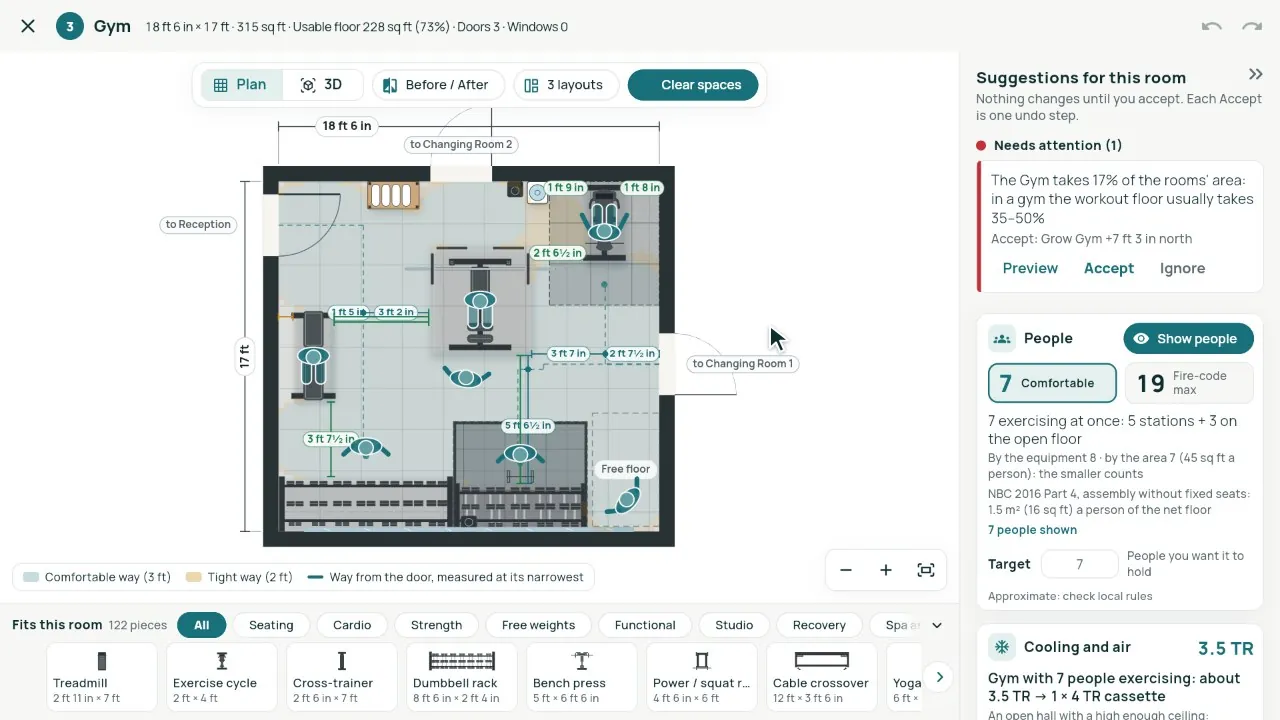
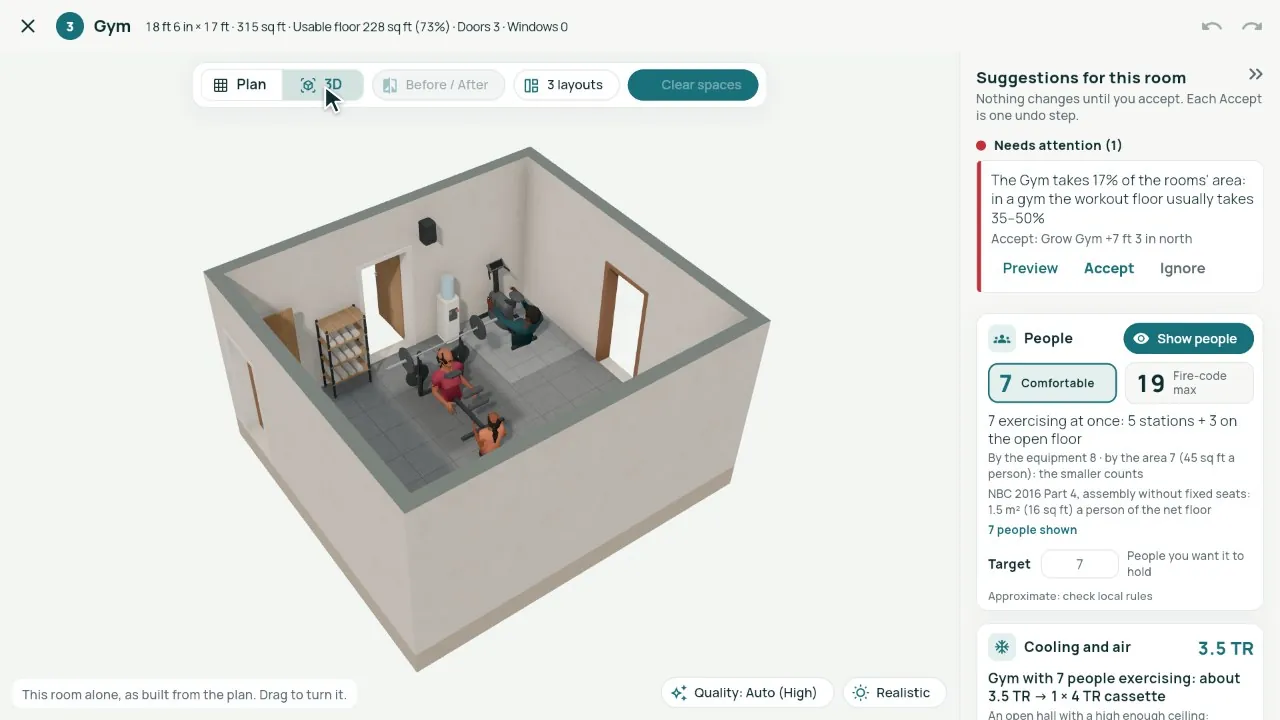
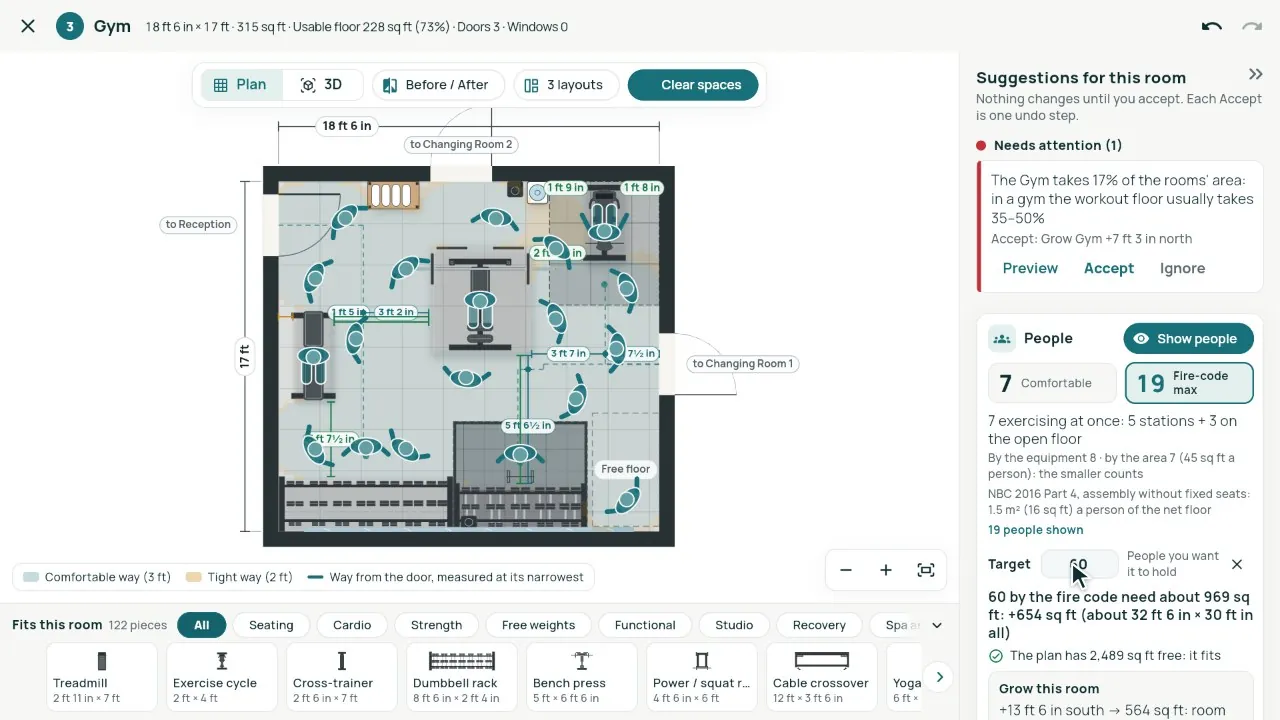
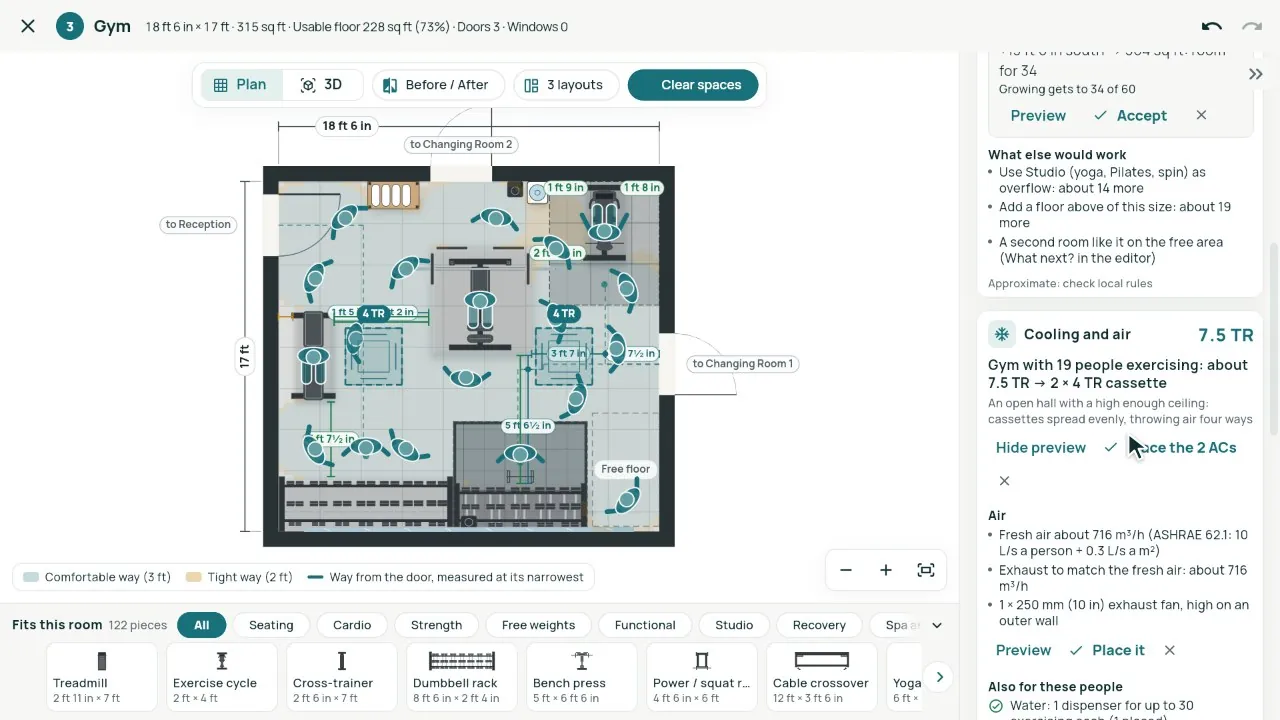
Real screens from our demo studio, Atelier Neev (fictional data).
Questions
Where do the numbers come from?
Capacity from NBC 2016 Part 4 occupant loads and common planning practice; the heat load from ASHRAE and ISHRAE figures; fresh air from ASHRAE 62.1. They are approximate: check local rules, and an MEP consultant for the final design.
Does it place the AC by itself?
Only when you click. Each AC, exhaust fan or locker bank shows first; Place is one step that Undo takes back.
Does it know the site’s climate?
Yes, once the site’s location is set. Until then it assumes a composite climate and says so.
Coming soon
Sign-up is coming soon
We’re launching very soon. Leave your name and an email or a mobile number, and we’ll tell you the day it opens.
More features
- Smart Planning
- Smart Room Preview
- Smarter whole plans
- 3D View and Walkthrough
- Realistic walkthrough
- Three layouts
- Facade designer
- Video export
- Ceiling designer
- Floors and Walls
- Materials from local shops
- AI Planning add-on
- Floors and the complete gym
- Location and sun
- Sharing with your site team
- Projects, drawings and invoices