What it does
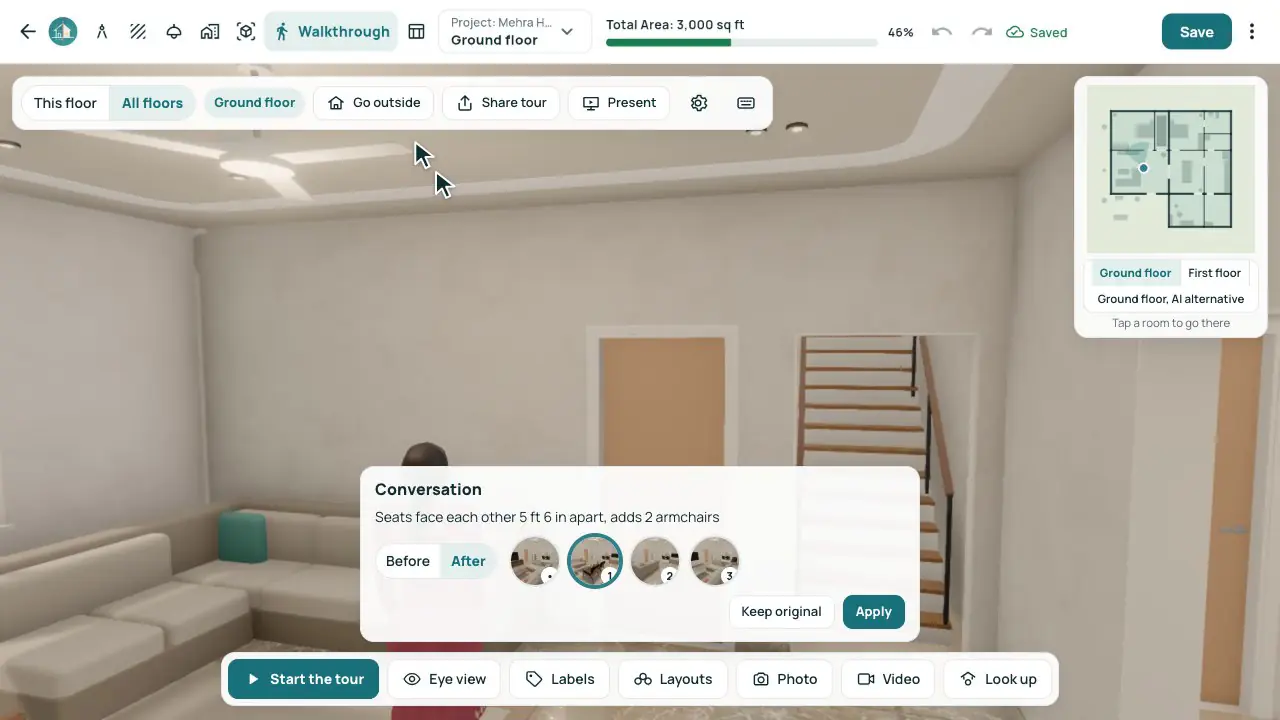
- Three ideas for each room by its type, each with its name and one line on why.
- Walls, doors, windows and the structure stay; only the furniture moves, in sensible sets.
- Open one to see the room changed in place, with Before and After and the three side by side.
- Apply is one undo step; X keeps the original.
- The same three as cards in the Room Preview; More ideas (AI) with the AI Planning add-on.
In the app
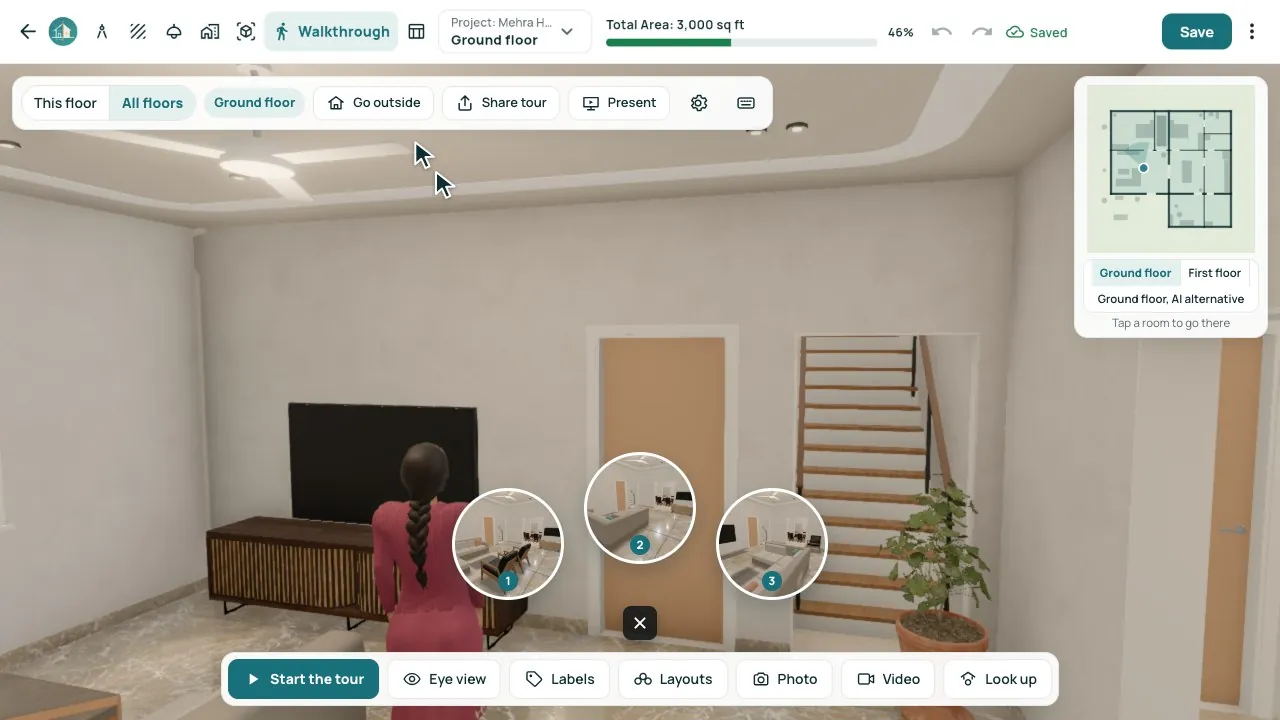
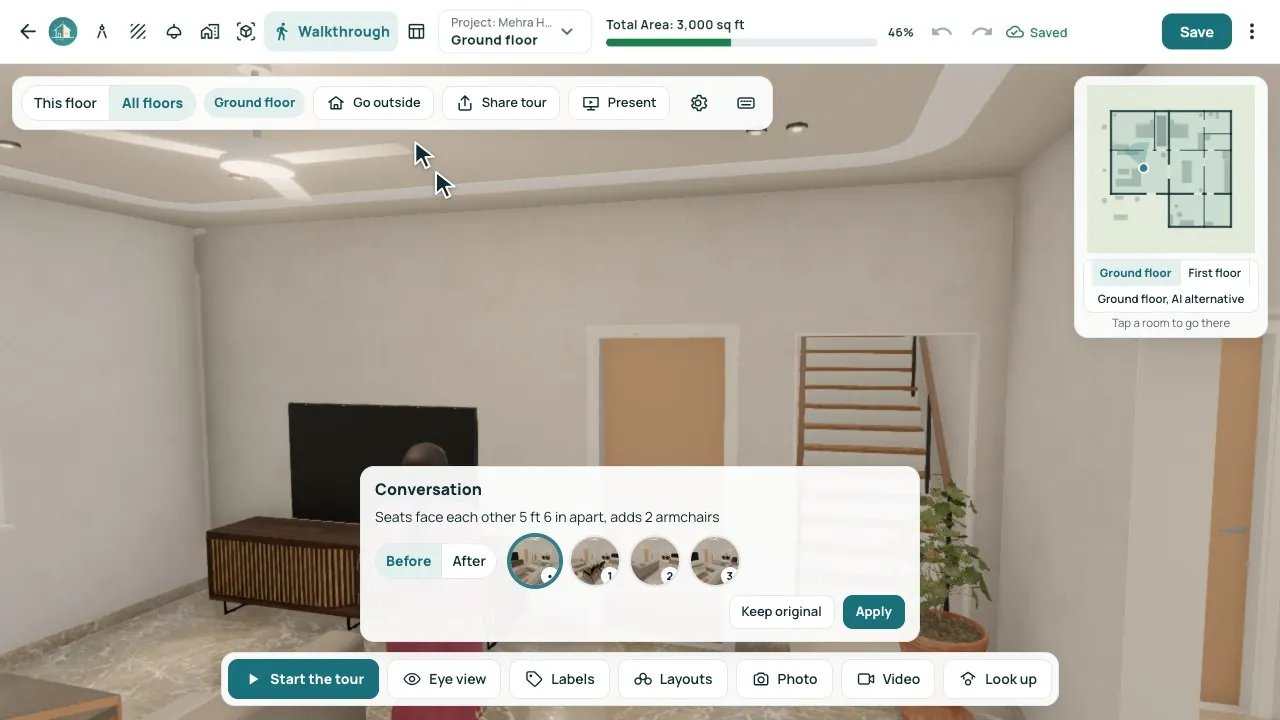
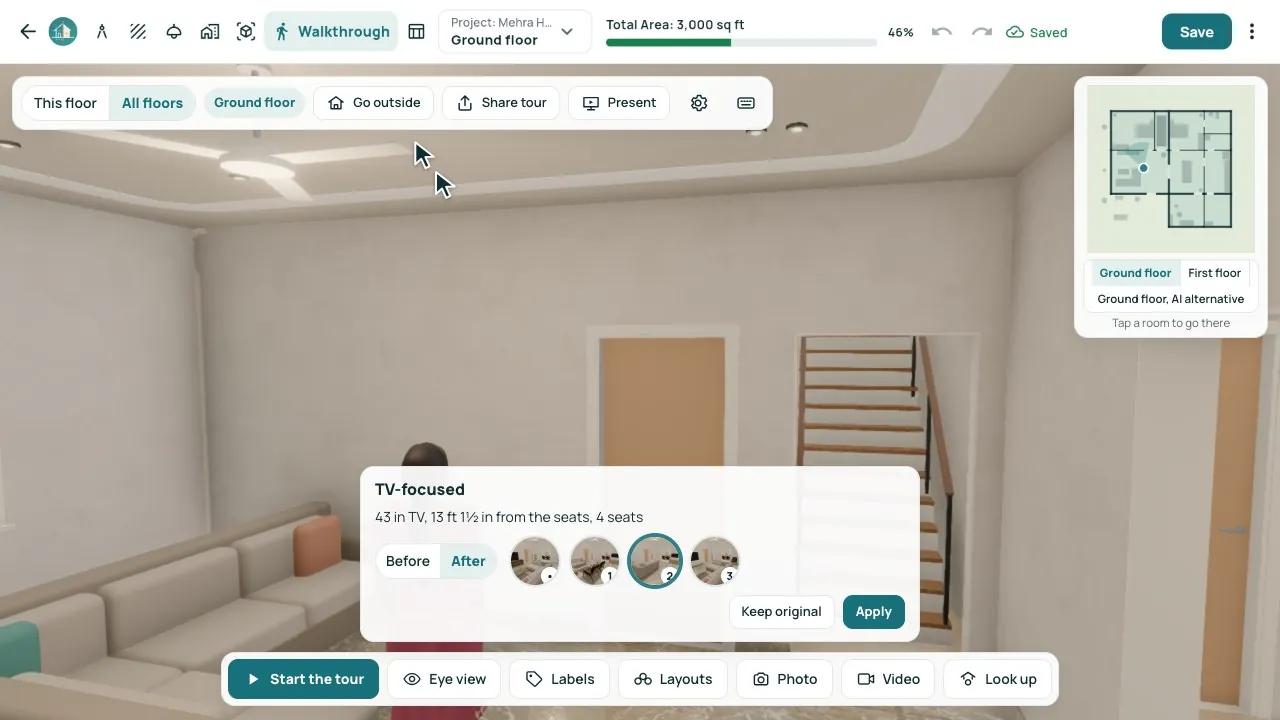
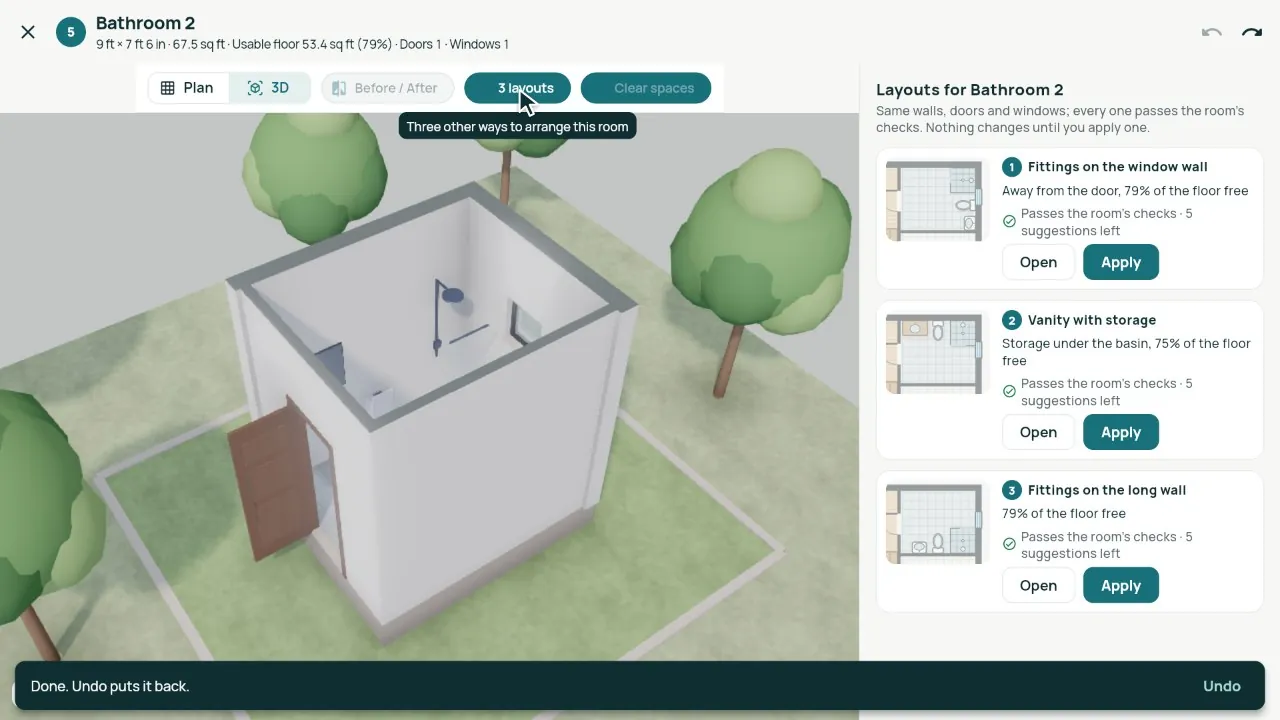
Real screens from our demo studio, Atelier Neev (fictional data).
Questions
Are these made by AI?
No: by our own rules, free and instant. Studios with the AI Planning add-on can also ask for More ideas (AI).
Will it move my walls or windows?
Never. Only the furniture moves; walls, doors, windows and the structure stay.
Can I undo it?
Yes. Apply is one step, and Undo puts the room back as it was.
Coming soon
Sign-up is coming soon
We’re launching very soon. Leave your name and an email or a mobile number, and we’ll tell you the day it opens.