What it does
- A fill target: about 90% of an area typed alone; on a real plot, the usual ground cover less the margins.
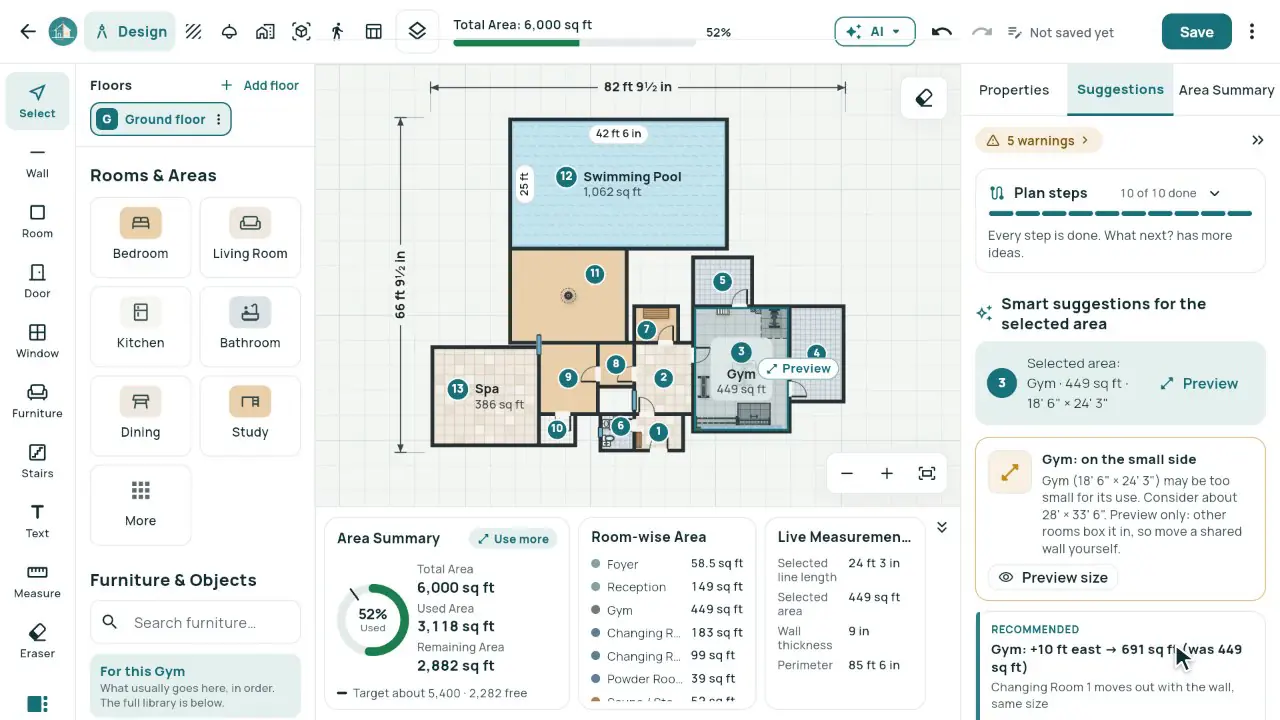
- Use more of the area: which rooms can grow, by how much and which way, alone or together, each previewed with ✓ and ✕.
- Size balance by building type: the lead space (a gym’s workout floor, an office’s workspace) and a warning when another space outgrows it, with Grow, Shrink or This is intended.
- Parking on the road side by the entrance, with a clear drive and the number of cars the building needs; Other spot for the alternatives.
- The AI Planning add-on follows the same rules: on the same gym brief, over 90% of the area used and the workout floor the biggest space.
In the app
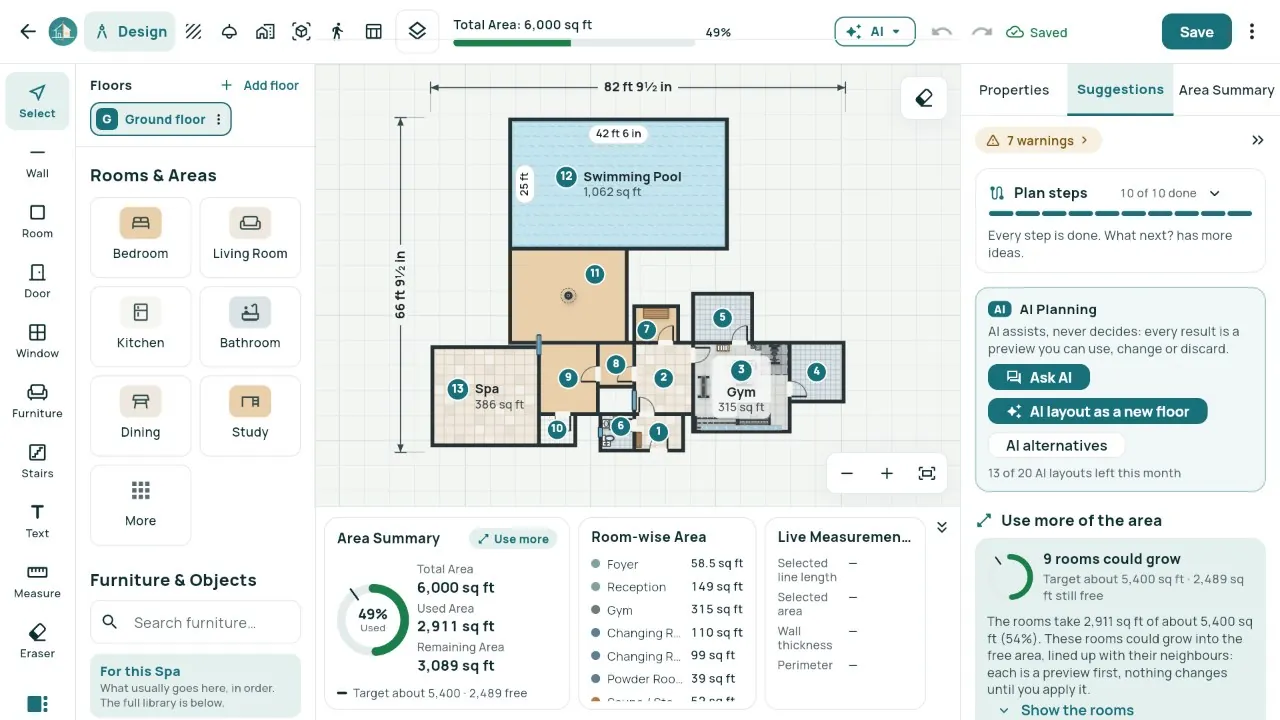
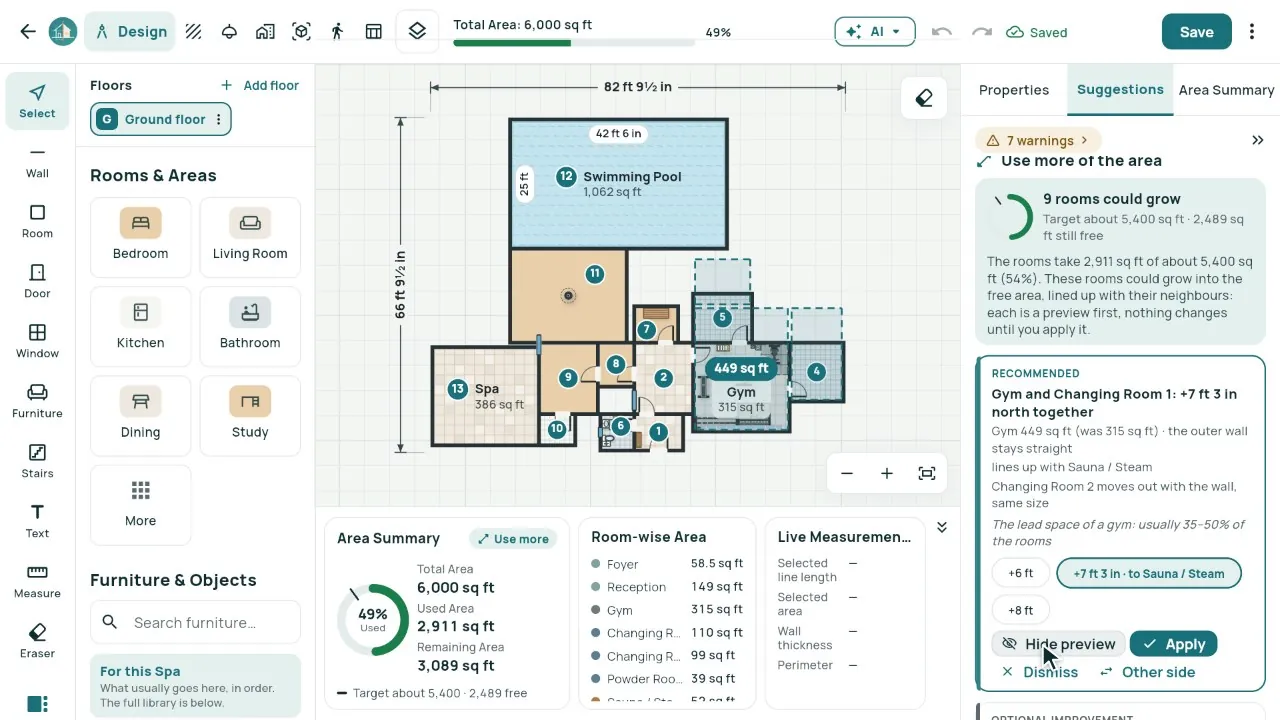
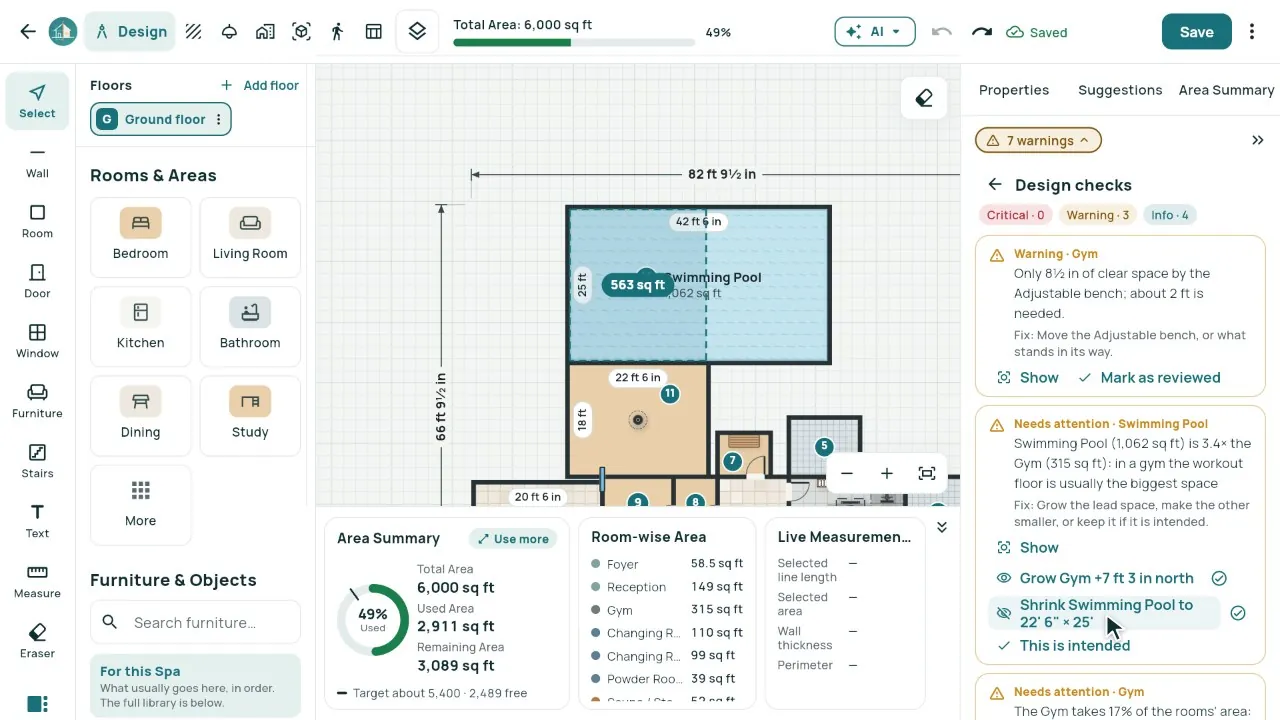
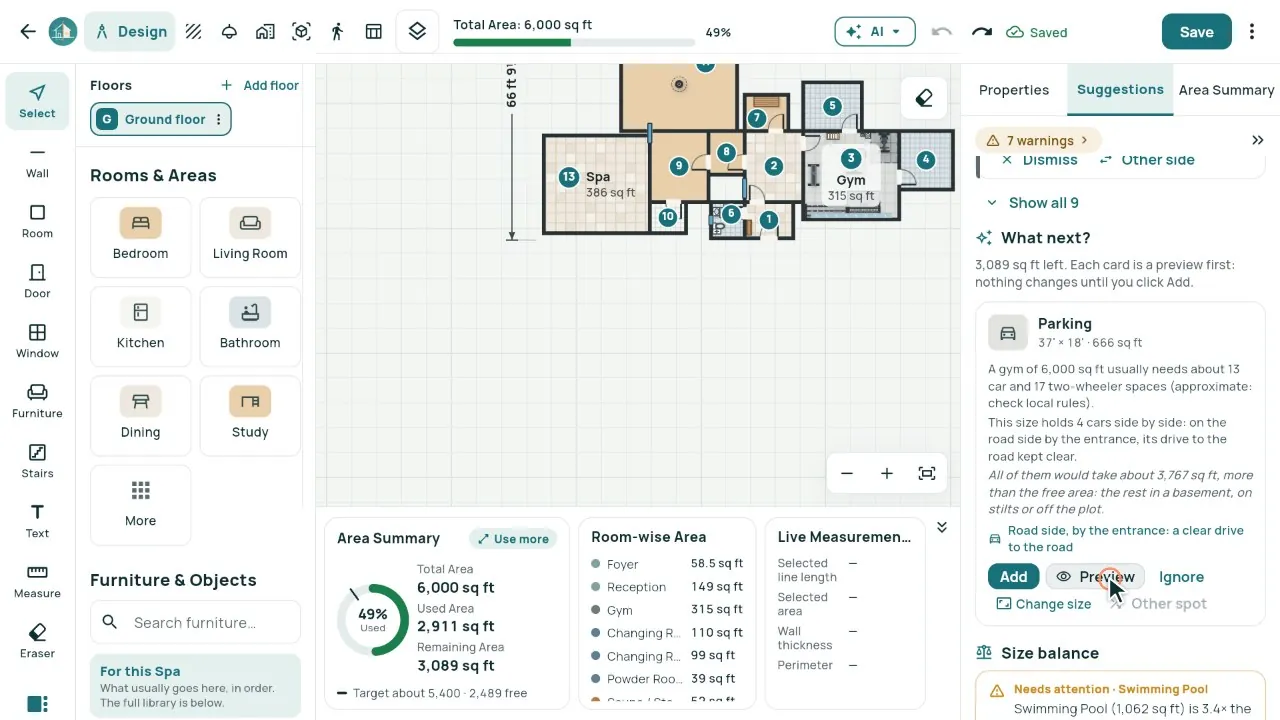
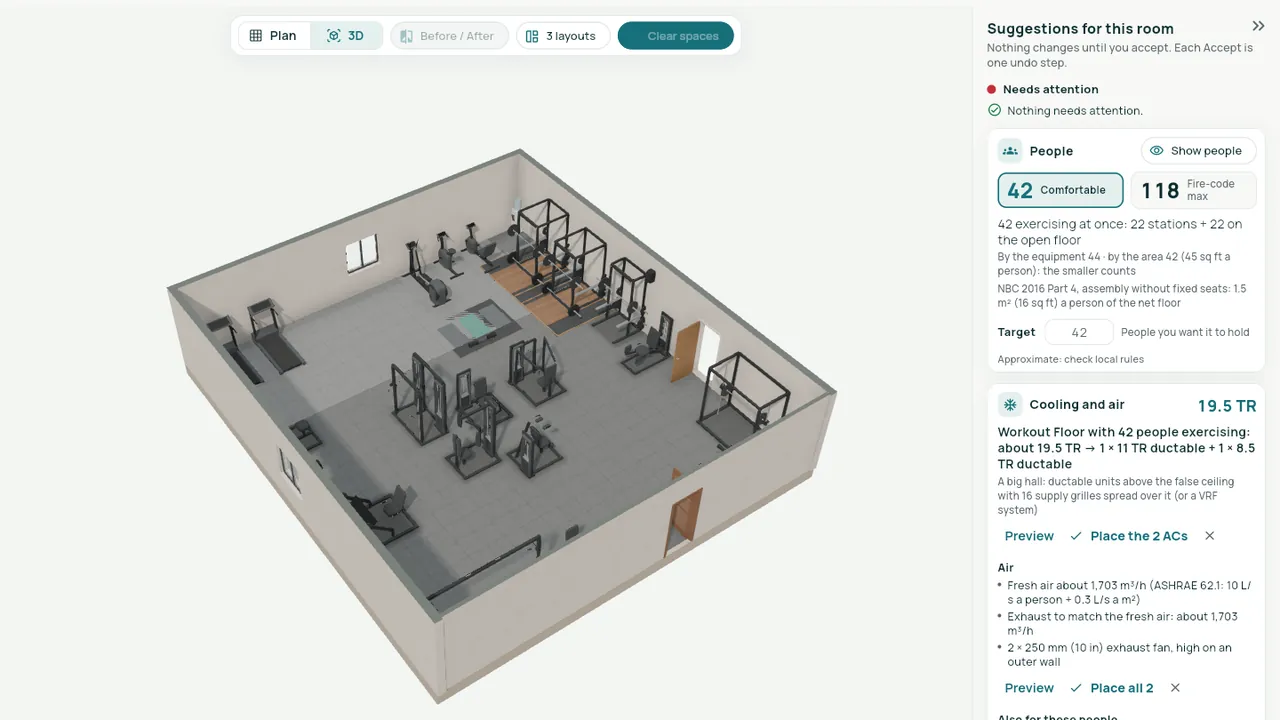
Real screens from our demo studio, Atelier Neev (fictional data).
Questions
Will it resize my rooms by itself?
Never. Each change is a preview first; Apply is one undo step, and Dismiss is remembered.
Where do the proportions come from?
Common planning references (Neufert, Time-Saver Standards) and Indian practice, by building type. Mark any room "This is intended" and the warning goes.
Is the AI part free?
The target, the rooms that grow, the warnings and parking are free Smart suggestions. The AI planner is part of the optional AI Planning add-on.
Coming soon
Sign-up is coming soon
We’re launching very soon. Leave your name and an email or a mobile number, and we’ll tell you the day it opens.
More features
- Smart Planning
- Smart Room Preview
- People and air
- 3D View and Walkthrough
- Realistic walkthrough
- Three layouts
- Facade designer
- Video export
- Ceiling designer
- Floors and Walls
- Materials from local shops
- AI Planning add-on
- Floors and the complete gym
- Location and sun
- Sharing with your site team
- Projects, drawings and invoices