What it does
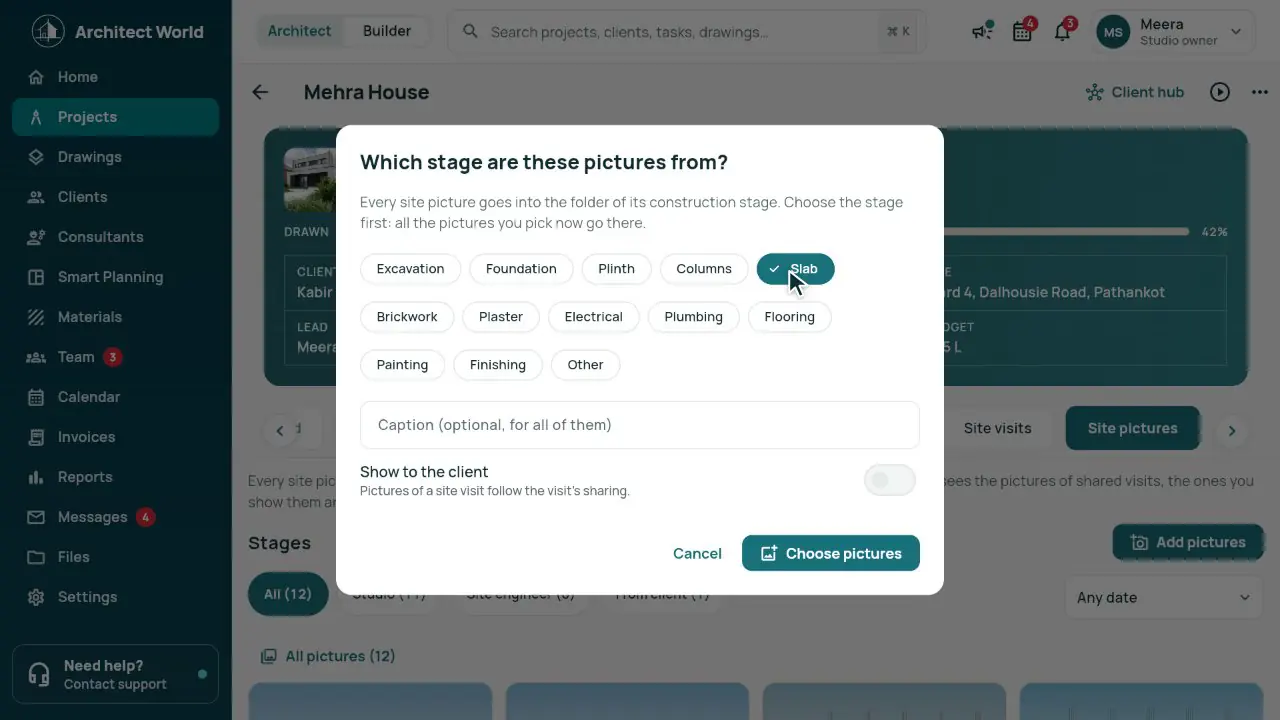
- Your list of stages: Excavation, Foundation, Plinth, Columns, Slab, Brickwork, Plaster, Electrical, Plumbing, Flooring, Painting, Finishing, Other; rename, reorder or add your own.
- The stage pop-up on every upload: site visits, My day visit reports and the client.
- A folder for each stage with its count, newest first; filters for Studio, Site engineer and From client.
- The client adds site pictures from their link or portal, tagged From client.
- Comments and replies on every picture, with a notification to the other side.
In the app
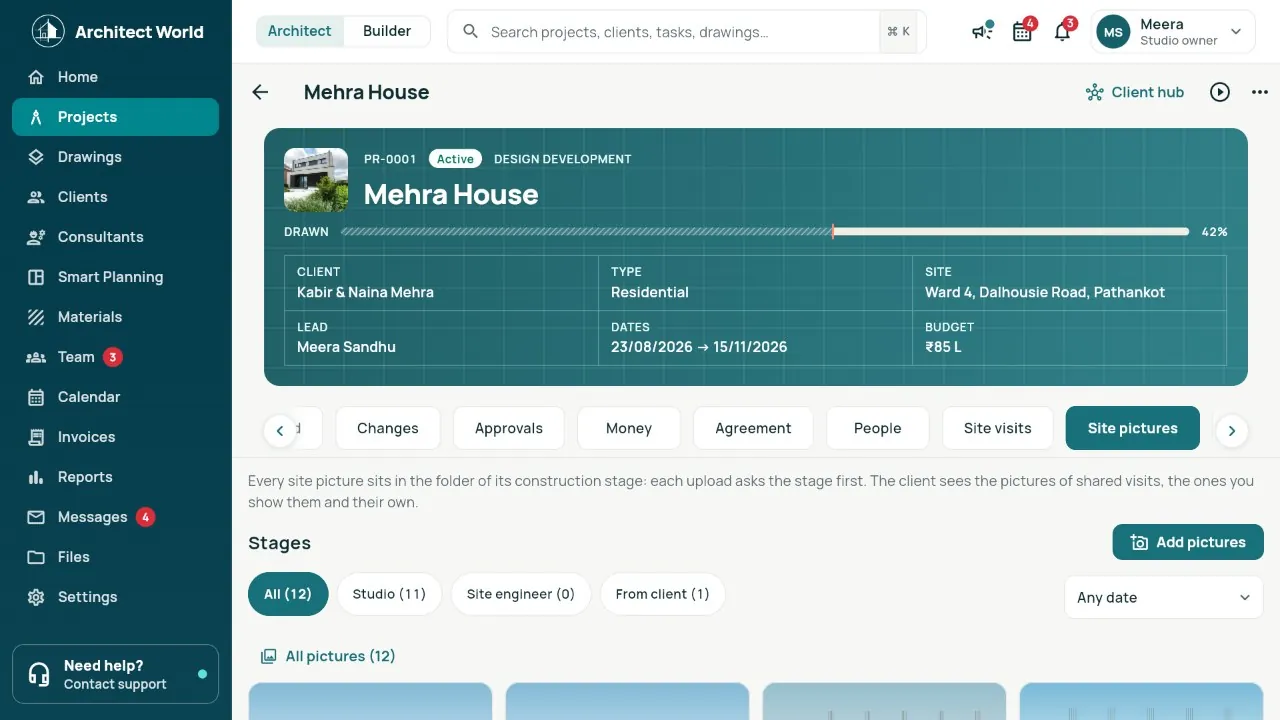
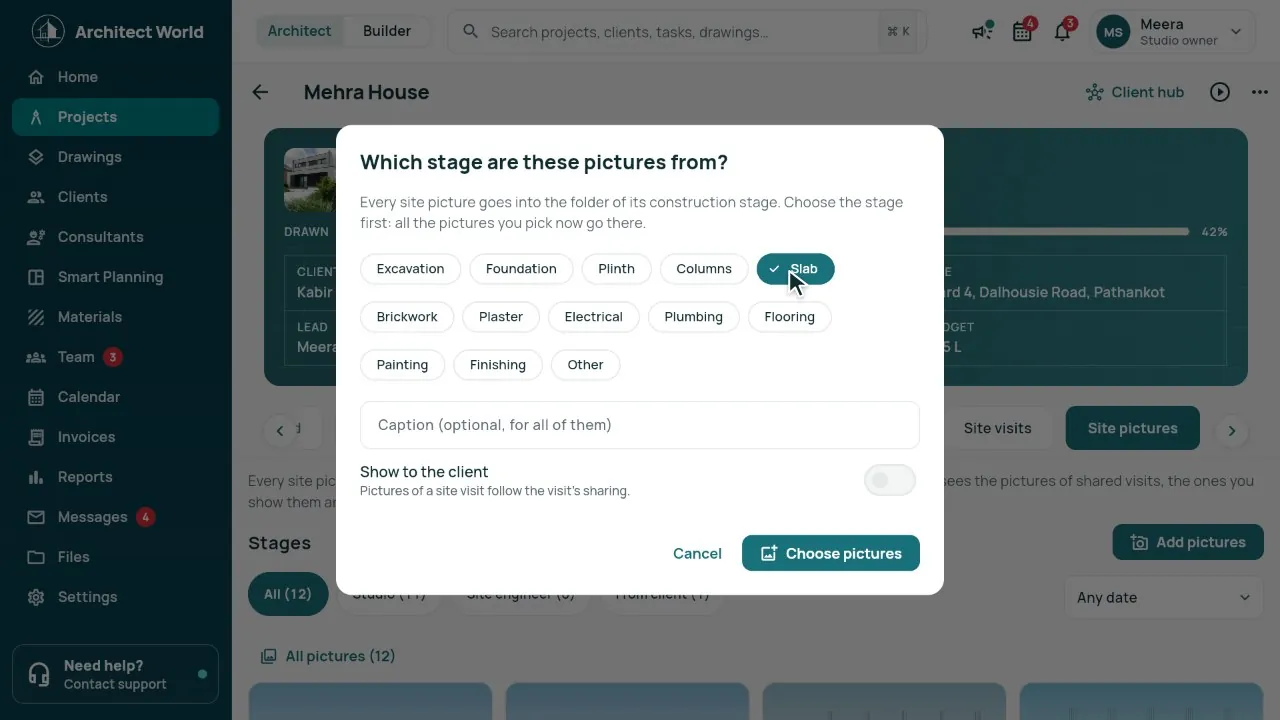
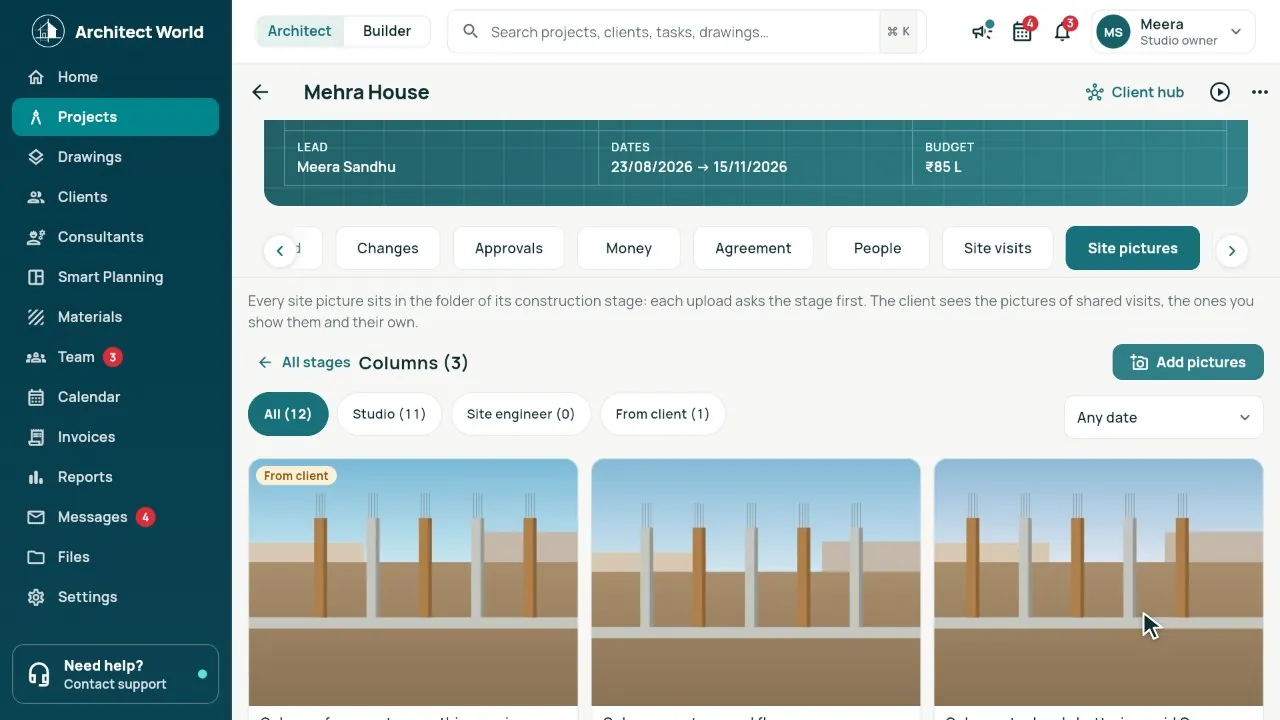
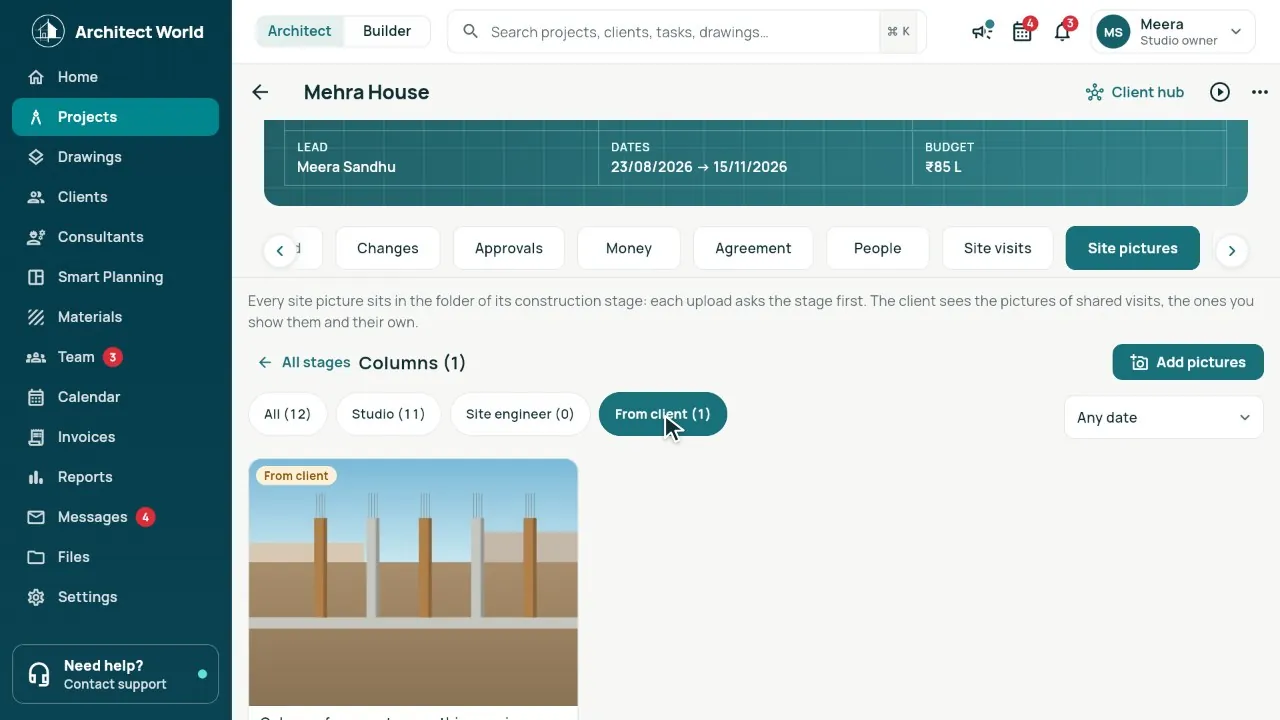
Real screens from our demo studio, Atelier Neev (fictional data).
Questions
Can a picture upload without a stage?
No. The pop-up must be answered first; that keeps every folder in order.
Can I change the stages?
Yes, in Settings › Construction stages: rename, reorder, hide or add your own.
Does the client see every picture?
The client sees pictures from visits you share, the ones you show them, and their own.
Coming soon
Sign-up is coming soon
We’re launching very soon. Leave your name and an email or a mobile number, and we’ll tell you the day it opens.
More features
- Smart Planning
- One link per client
- Drawing register
- Consultants and vendors
- Mood board, 3D and Videos
- Material board
- Builder side
- Team check-in and Needs you
- Drawings: the index, and 3D from a PDF
- Smart Room Preview
- People and air
- Smarter whole plans
- 3D View and Walkthrough
- Realistic walkthrough
- Three layouts
- Facade designer
- Video export
- Ceiling designer
- Floors and Walls
- Materials from local shops
- AI Planning add-on
- Floors and the complete gym
- Location and sun
- Sharing with your site team
- Projects, drawings and invoices