Different in kind
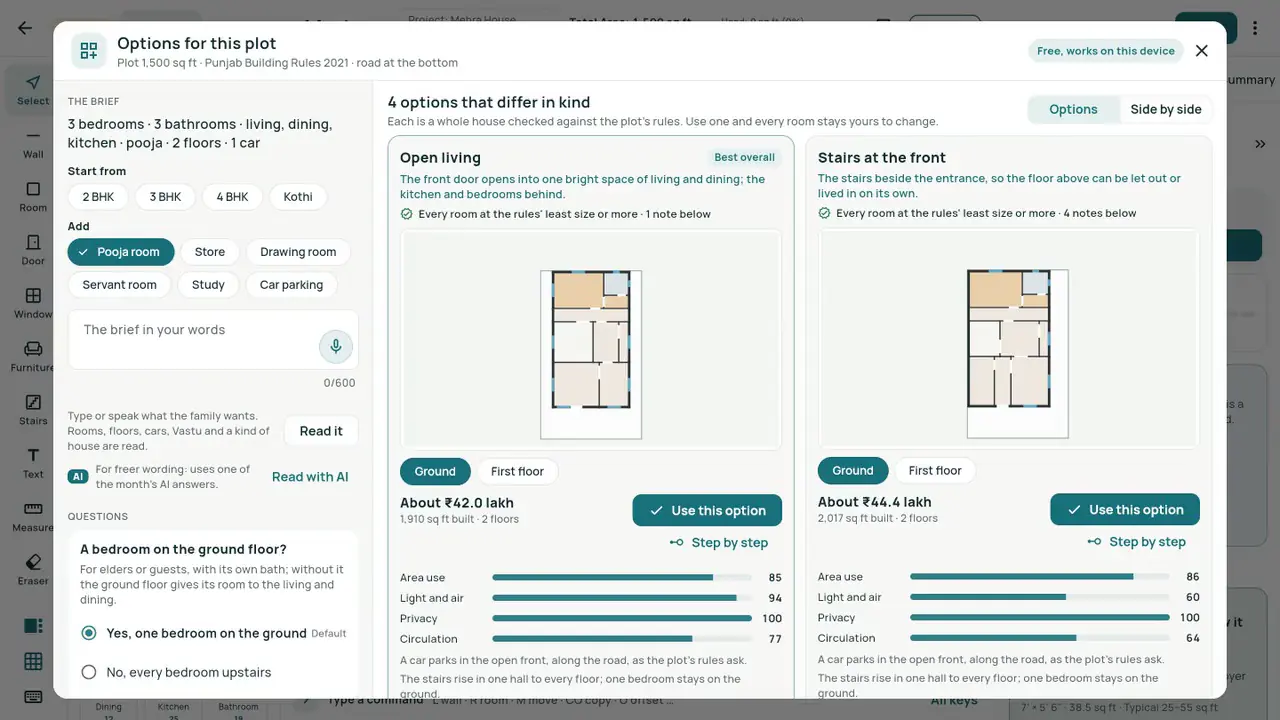
Not three copies: a courtyard, a front stair, rooms stacked another way, each checked by the plot’s rules.
Options and AskBeing built · in testing
Give the plot and the brief: options different in kind, each checked by the rules, side by side. Take one and change it in your own words, previewed with Undo, then share it with your client.
Sound familiar?
The first meeting needs three schemes. We draw one properly, two in a hurry, and the client picks the one we did not finish.
Not three copies: a courtyard, a front stair, rooms stacked another way, each checked by the plot’s rules.
Typed or spoken, previewed before and after, one Undo; locked rooms stay where they are.
A link the client opens on a phone, with the plot’s rules in plain words and room for their notes.
The plan: the first scheme for the client, and every change after it.


Real screens from our demo studio, Atelier Neev (fictional data).
It is being built and in testing. Try it on the sample house in the demo studio and on your own plots; tell us what is missing. Your existing plans and drawings are never changed by it.
No. Options and Ask work by rules and come with Smart Planning; the AI add-on reads briefs and changes the rules cannot.
No. They see it and leave notes; you decide what changes.
Coming soon
We’re launching very soon. Leave your name and an email or a mobile number, and we’ll tell you the day it opens.