Fee proposalsNew

Send the proposal tonight. Start the project when they say yes.

A fee proposal from a ready template in a few minutes, in your studio’s name. Your client reads it on their phone, accepts it with a code, and one click turns it into the project, its stages, the fee to invoice and the agreement.
Sound familiar?

We send the proposal as a PDF on WhatsApp, then wait. Did they open it? Did they read the fee? And once they say yes, we type the same client, the same stages and the same fee all over again.

What changes

01

Out the same day

Three ready templates (residential, interiors, turnkey) or your own. The fee follows the area or the project cost as you type.

02

You know where it stands

Sent, opened, changes asked, accepted. Reminders go by themselves, and you see how many you win.

03

Yes becomes the project

Accepted means the client, the project with its stages, the fee stages and the agreement draft, in one click.

Where it sits in your day

  1. Before the project
  2. Project costs
  3. On site
  4. Billing
  5. Month end

Before the project: the first thing a new client sees from you.
What it does

  • Templates for a residential design, an interior and a turnkey build, or your own saved from any proposal.
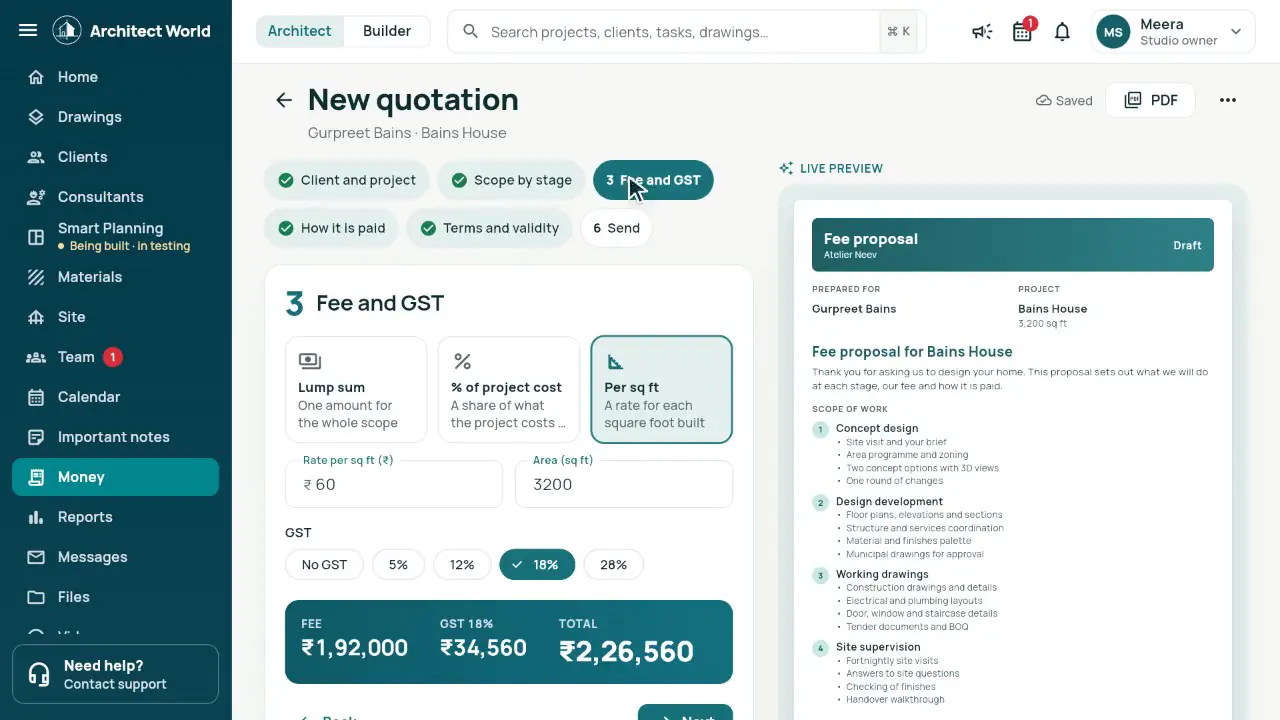
  • The scope by stage, the fee as a lump sum, a % of the project cost or a rate per sq ft, GST, how it is paid and the terms.
  • A live preview beside the editor: what the client will read, as you type.
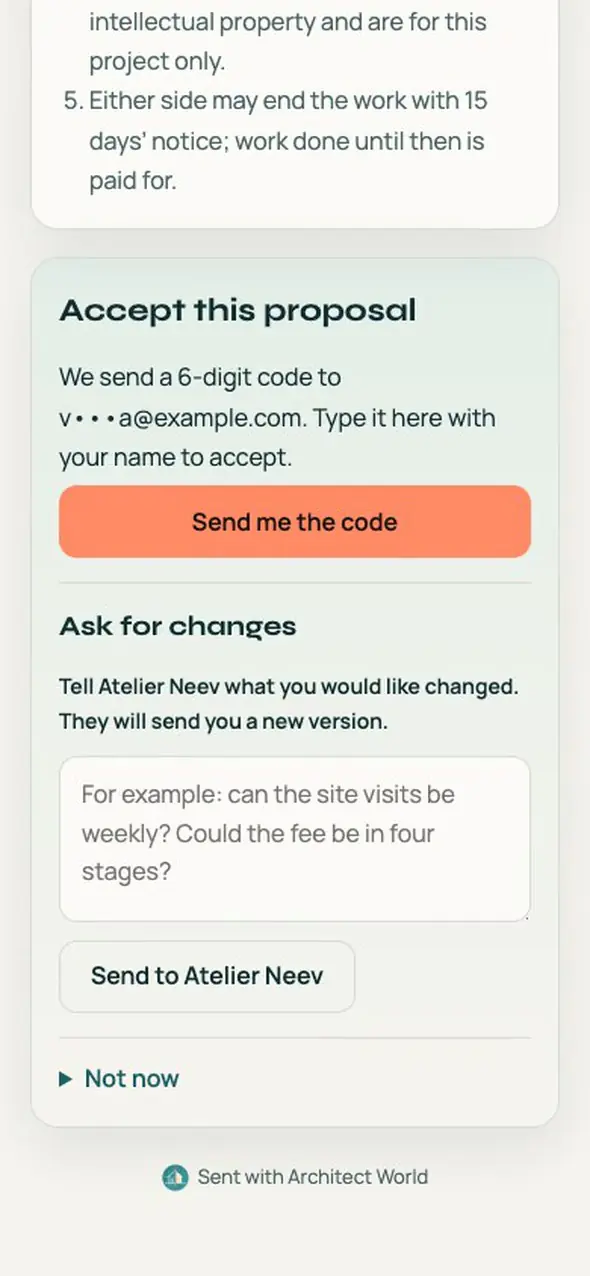
  • Send by email, link or WhatsApp. The client’s page carries your name and logo; they accept with a code sent to their email, ask for changes or say not now.
  • Versions with what changed since the last one; reminders; Sent, Viewed, Accepted, Declined and Expired; the share you win.
  • Start the project: the client, the project, its stages and tasks, the fee stages for invoicing and the agreement, in one click.

In the app

Proposals out with clients, accepted this year and the share you win.
The fee per sq ft, GST and the stages, with the live preview beside it.
An accepted proposal, ready to start the project.
The client’s page on a phone: accept with a code.

Real screens from our demo studio, Atelier Neev (fictional data).

Questions

Does my client need to sign up?

No. They open the link, read the proposal and accept it with a six-digit code sent to their email.

Can I change a proposal after sending it?

Yes. Change it makes a new version, and the client sees what changed since the last one.

Does it work for interiors and turnkey projects?

Yes. The fee can be a lump sum, a % of the project cost or a rate per sq ft, with your own stages.

Coming soon

Sign-up is coming soon

We’re launching very soon. Leave your name and an email or a mobile number, and we’ll tell you the day it opens.

See everything we’ve shipped

An email or a mobile number is enough.

We use these details only to tell you when sign-up opens.