What you need
- A plan drawn in Smart Planning, with walls, rooms and doors (in a studio with Smart Planning switched on; it is in preview).
- To make a video: a computer with the latest Chrome, Edge or Safari. A graphics card helps; without one the video is made at Low quality, more slowly.
Steps in the app
- Open the plan and the 3D View tab: Top, Front or Corner, Labels and Quality (Low, Medium or High).
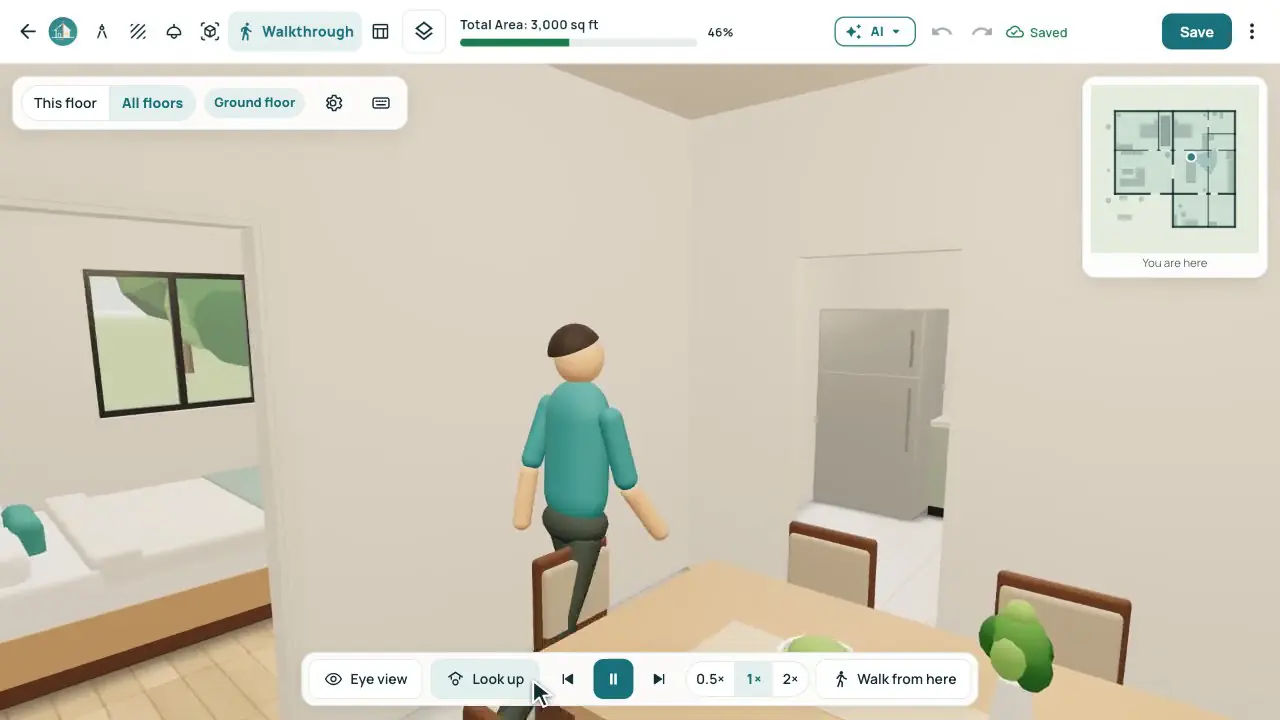
- Open the Walkthrough tab. On the welcome card, choose Who walks (Woman, Man or First person), then Start the tour, or Walk around myself.
- The tour goes through every room it can reach on every floor ("Living room — Stop 2 of 9"), with Previous, Pause, Next and Exit tour. W A S D or the arrow keys walk; P or Space pauses.
- Press Go outside for the Front, Rear, Left, Right, Roof and Bird’s-eye views in Morning, Noon or Evening light. Drone tour flies round the house.
- Press Video. Choose Show (3D tour, Drone tour or Both), Length (About 1 minute or The whole tour), Size (720p or 1080p), Who walks, Room names on the video and Studio intro and ending, then press Make the video.
- When it is ready: Download MP4, Save to project (Files › Videos) or Make another. Share tour makes a link your client opens without signing in.
How the video is made
The video is drawn frame by frame, 30 frames a second, at High quality with the detailed models, so it plays smoothly whatever the computer; a slower computer only takes longer.
About 1 minute fits a short walk into each room, starting outside the main door, into about 60 seconds in all. The whole tour is the full tour; a video longer than 8 minutes can’t be made.
The studio intro card is 3 s and the ending 3.5 s. The drone tour takes about 43 s; in a short video of Both it is sped up to fit 22 s.
The file is H.264 in MP4 when the browser can, else WebM, with no sound. Its size is about its length × the bit rate: 7 Mbps at 1080p (about 53 MB a minute) and 3.5 Mbps at 720p (about 26 MB a minute).
Worked example
A video of the drone tour (Show: Drone tour) with the studio intro and ending switched on.
| Studio intro card | 3 s |
|---|---|
| Drone tour | 43 s |
| Ending card | 3.5 s |
| Video length | 49.5 s (0:50) |
| Size at 1080p (7 Mbps) | about 43 MB |
| Size at 720p (3.5 Mbps) | about 22 MB |
Common mistakes
- Missing doors: the tour can’t reach a room without one. Press Add the doors to fill in the missing ones.
- Trying to make a video on a phone or in the phone app: Video works in a computer browser.
- Sending The whole tour in 1080p over WhatsApp: a long video can be very large; About 1 minute at 720p is about 26 MB.
Questions
Does the video have music?
No, the video has no sound.
Can my client walk through the house?
Yes. Share tour makes a link that opens the tour in a browser without signing in; you can turn it off at any time.
Which browsers can make videos?
The latest Chrome, Edge or Safari on a computer.
Can I take a still picture?
Yes. Photo in the 3D View makes a realistic picture to download as PNG or JPEG.